【问题】
之前折腾:
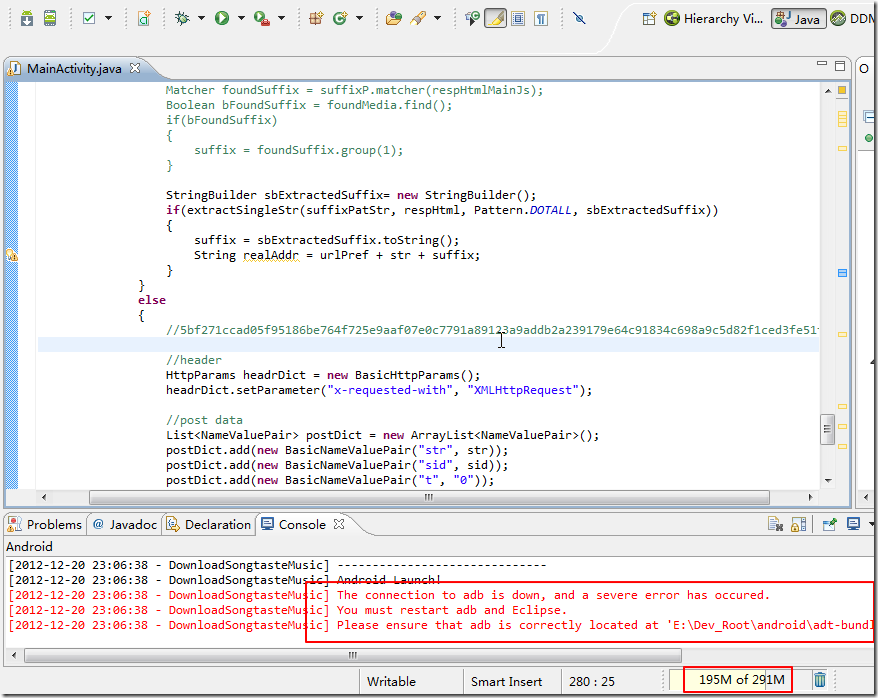
的过程中,遇到错误:
。。。。 |
【解决过程】
1.好像是由于此处使用了X86的Image,但是结果之前的Haxm没有安装好所导致,adb没法正常运行。
2.所以,再去参考:
【记录】ADT中通过Android SDK Manager安装Intel Hardware Accelerated Execution Manager(Haxm)
去运行IntelHaxm.exe,结果出错,折腾过程见:
3. 后来确认,即使是用的是arm的Image,正常本应该正常启动的,结果此处还是无法启动,还是同样错误的。
4.参考:
The connection to adb is down解决方法
打算去到进程管理器中关闭adb的,结果发现进程中根本没有adb。
是有Eclipse.exe,然后强制关闭试试。
重新打开Eclipse,结果问题依旧。
5.参考:
Connection to adb down,severe error has occured解决办法
去看看是否豌豆荚在运行。
果然看到了,2个豌豆荚的进程:
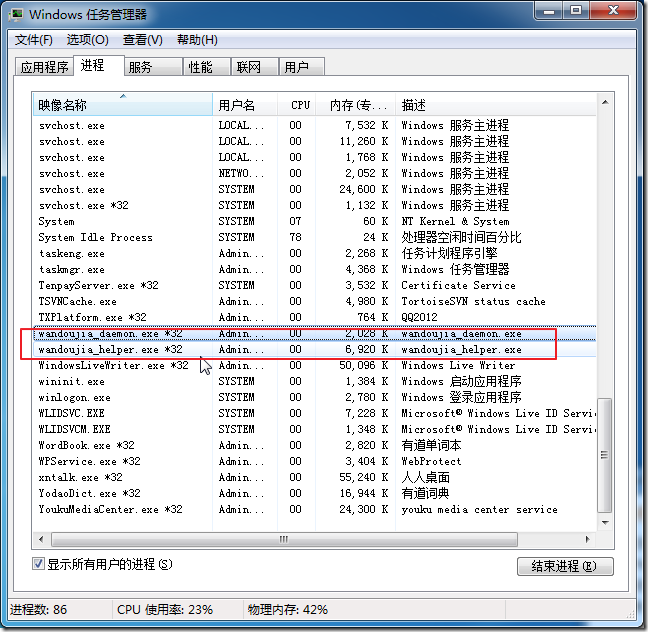
强制关闭掉,再去试试。结果问题依旧。
6.此处还是不知道是哪个程序冲突的。
暂时可以把不相关的程序,一个个干掉试试。
但是试了好多个程序,都还是不行。
7.这里:
Android错误:The connection to adb is down, and a severe error has occured.
也说是由于豌豆荚之类的手机助手方面的程序。但是已经干掉了,还是不行。
不过,此处手动去试试:
E:\Dev_Root\android\adt-bundle-windows\sdk\platform-tools>adb.exe kill-server E:\Dev_Root\android\adt-bundle-windows\sdk\platform-tools>adb start-server E:\Dev_Root\android\adt-bundle-windows\sdk\platform-tools> |
然后再重启Eclipse试试,结果终于是可以正常去运行或调试了。。。
【总结】
出现
The connection to adb is down, and a severe error has occured
的问题,主要是由于adb没法正常运行起来;
而adb没法运行起来,主要是其端口被占用了;
常见的,可能的占用adb端口的,是你当前电脑上和手机相关的管理软件,比如豌豆荚,所以解决办法是:
强制关闭豌豆荚等手机管理软件,然后去对应的adb所在路径下,打开cmd,执行:
adb.exe kill-server adb start-server |
再重启Eclipse,结果就可以正常Run或Debug,可以自动打开安卓模拟器了。
转载请注明:在路上 » 【已解决】ADT中,运行Android程序出错:The connection to adb is down, and a severe error has occured