【背景】
自己之前,针对别人的问题已经给了答案,给出了正则的写法。
然后现在亲自去测试UltraEdit的正则,结果,竟然发现,要处理:
./xcode.configVpp.pl -frmrate 5 -height 720 -width 1280 -vidformat 1 -instance 0
./xcode.configVpp.pl -frmrate 5 -height 720 -width 1280 -vidformat 1 -instance 1
./xcode.configVpp.pl -frmrate 5 -height 720 -width 1280 -vidformat 1 -instance 2
./xcode.configVpp.pl -frmrate 5 -height 720 -width 1280 -vidformat 1 -instance 3
./xcode.configVpp.pl -frmrate 5 -height 720 -width 1280 -vidformat 1 -instance 4
./xcode.configVSC.pl -frmrate 5 -height 720 -width 1280 -vidformat 1 -instance 5
./xcode.configVSC.pl -frmrate 5 -height 720 -width 1280 -vidformat 1 -instance 6
./xcode.configVSC.pl -frmrate 5 -height 720 -width 1280 -vidformat 1 -instance 7
./xcode.configVpp.pl -frmrate 5 -height 720 -width 1280 -vidformat 1 -instance 8
./xcode.configVSC.pl -frmrate 5 -height 720 -width 1280 -vidformat 1 -instance 9
./xcode.configVSC.pl -frmrate 5 -height 720 -width 1280 -vidformat 1 -instance 10
./xcode.configVSC.pl -frmrate 5 -height 720 -width 1280 -vidformat 1 -instance 11
./xcode.configVpp.pl -frmrate 5 -height 720 -width 1280 -vidformat 1 -instance 12
将instance后面是0 4 8 12的行,中的720替换成576,1280替换成1024
【折腾过程】
1。然后试了半天,竟然结果不行。
先是用:
搜索->在文件中替换
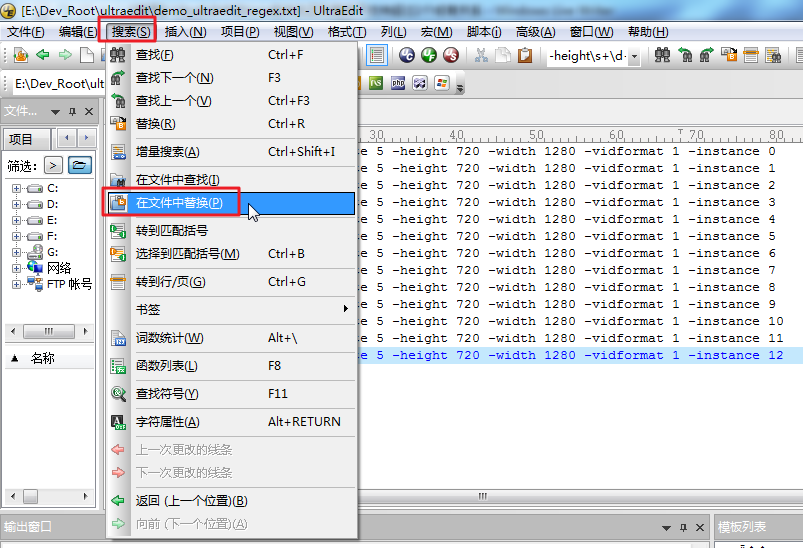
然后试了很多个语法,先是提醒:
在文件中替换可能会修改驱动器上的许多文件
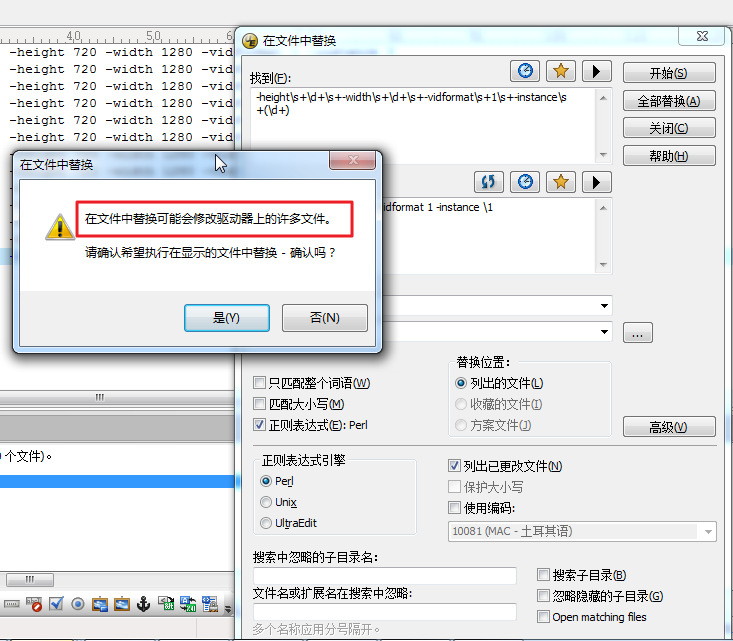
不管他,点击是,然后结果还是无法实现匹配,更无法替换。
并且也试了几种写法:
-height\s+\d+\s+-width\s+\d+\s+-vidformat\s+1\s+-instance\s+(\d+)
-height\s+\d+\s+-width\s+\d+\s+-vidformat\s+1\s+-instance\s+0
-height\s+\d+\s+-width\s+\d+\s+-vidformat\s+1\s+-instance\s+(0|2|4|8)
结果都没用。
2.当时是在一个新建的文件中测试的,还没有保存。
然后去保存了新建文件到本地后,还是不行。
3.后来才搞懂,原来是替换对话框搞错了。
应该是:
搜索->替换
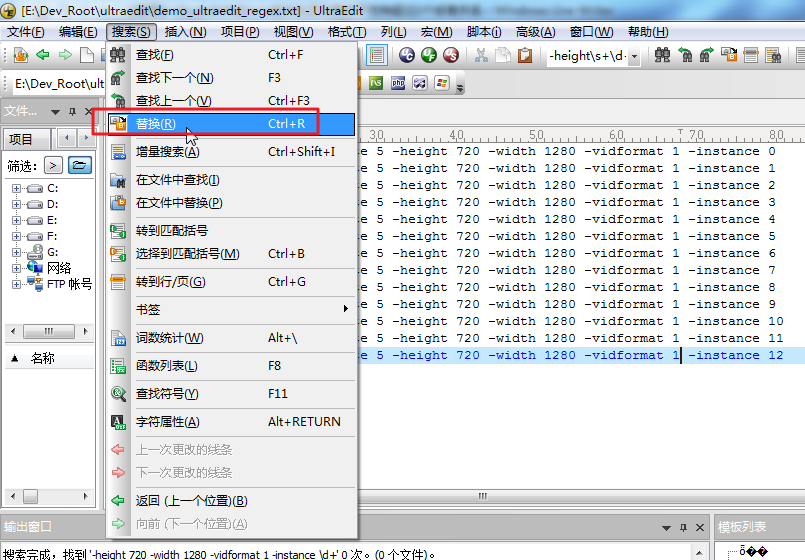
然后才可以匹配和替换。
4.但是也还是存在一个问题:
已经选择了默认的Unix版本的正则了,然后用:
-height\s+\d+\s+-width\s+\d+\s+-vidformat\s+1\s+-instance\s+(0|2|4|8)
只能匹配找到最后那个8的那行:
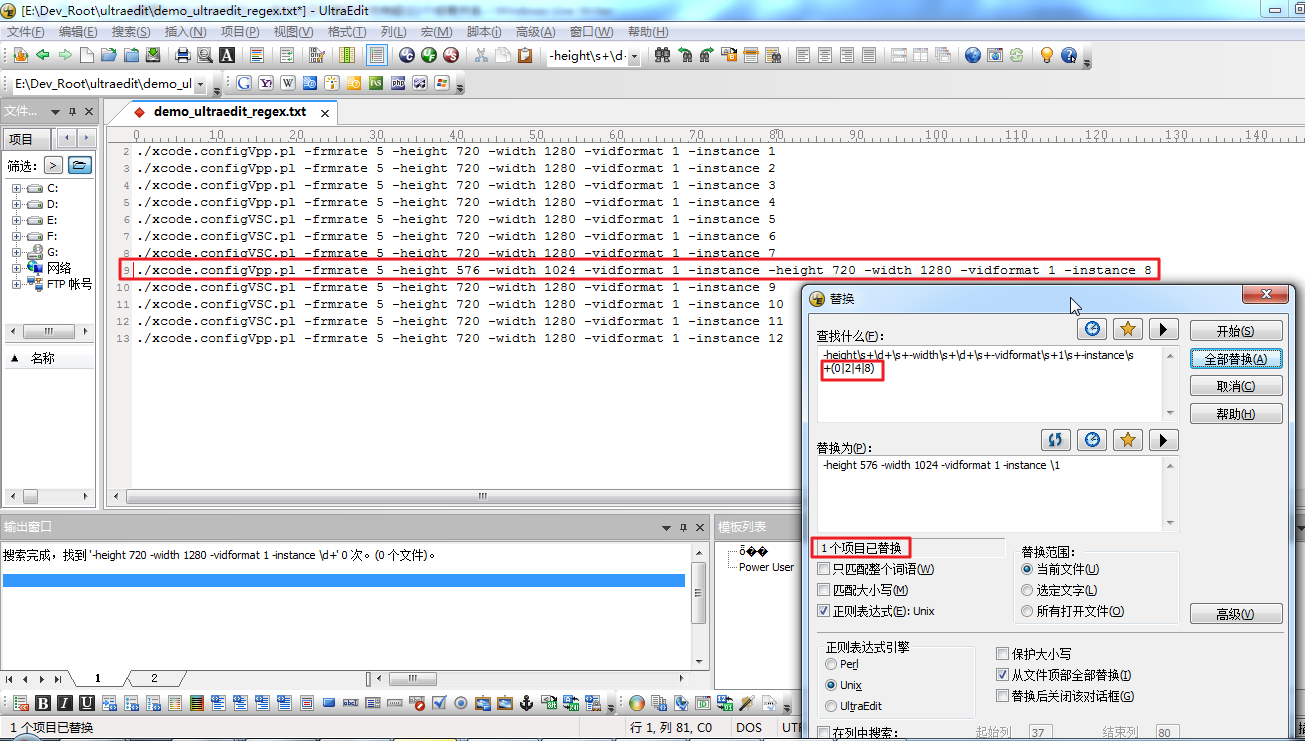
很明显,不仅仅只是匹配和替换了8的那行,而且替换的结果也不对。
5.后来的后来,终于搞清楚了:
UltraEdit中的Unix版本的正则,对于(A|B)的语法,最多只支持2个。
所以,如果用:
-height\s+\d+\s+-width\s+\d+\s+-vidformat\s+1\s+-instance\s+(0|2)
就可以匹配到0和2的:
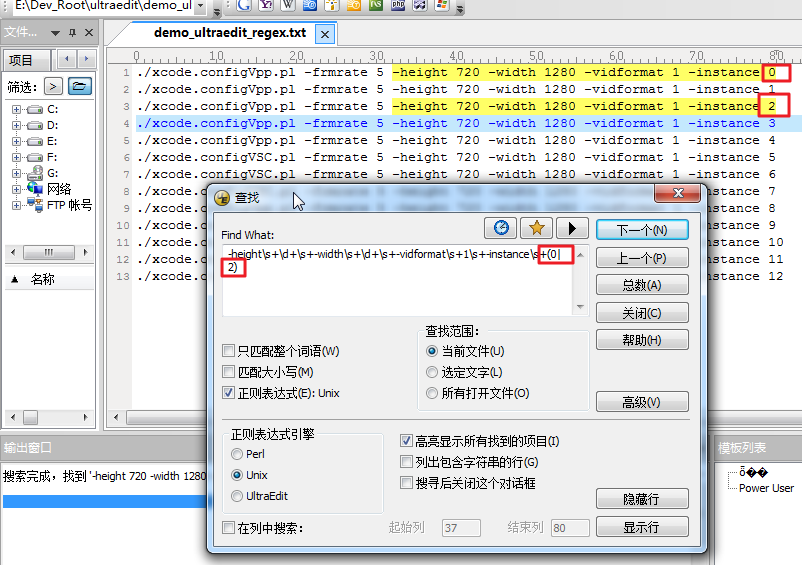
但是去替换,结果也还是只能处理2,且替换结果也不对。
另外,再多加一个4:
-height\s+\d+\s+-width\s+\d+\s+-vidformat\s+1\s+-instance\s+(0|2|4)
都会有问题。和之前(0|1|4|8)的效果一样。
这点,后来也看到官网的例子了。
OR ExpressionsCurrently UltraEdit only allows for the specification of two operands for an OR expression. You may search for an expression A or B as follows: UltraEdit RegExp:Find What: ^{John^}^{Tom^} UNIX RegExp:Find What: (John|Tom) There should be nothing between the two expressions. You may combine A or B and C or D in the same search as follows: UltraEdit RegExp:Find What: ^{John^}^{Tom^} ^{Smith^}^{Jones^} UNIX RegExp:Find What: (John|Tom) (Smith|Jone) This will search for "John" or "Tom" followed by "Smith" or "Jones". |
6.然后再后来,经过折腾发现,其实此处用Perl的语法,上述的写法,就是支持的了:
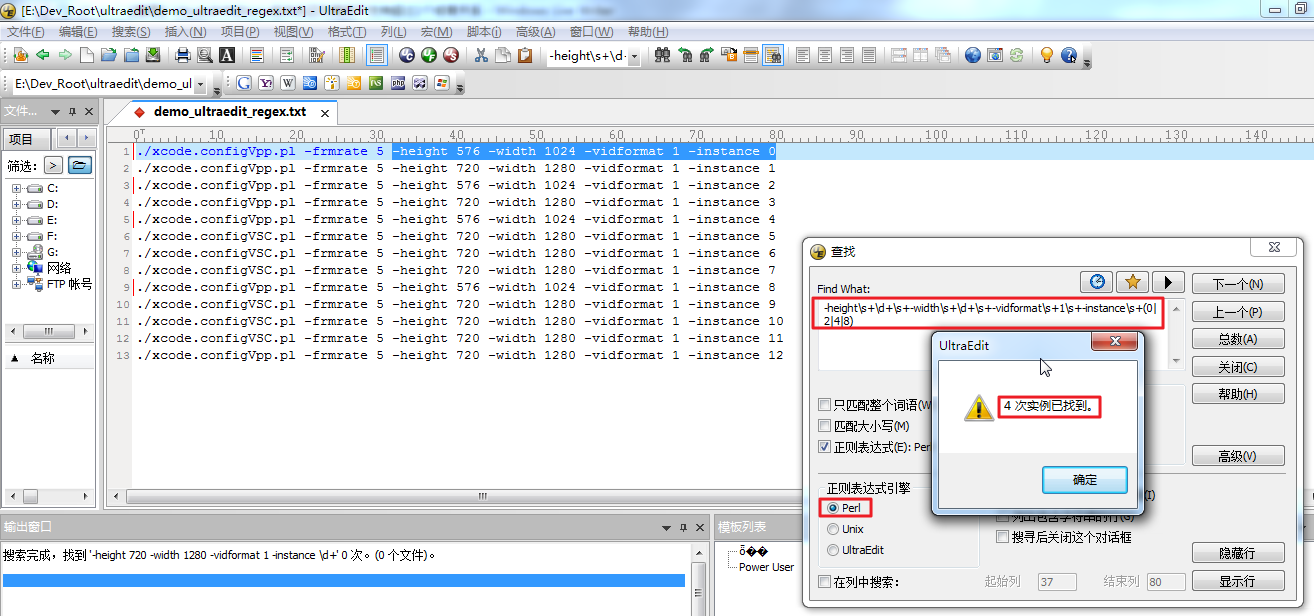
要去替换:
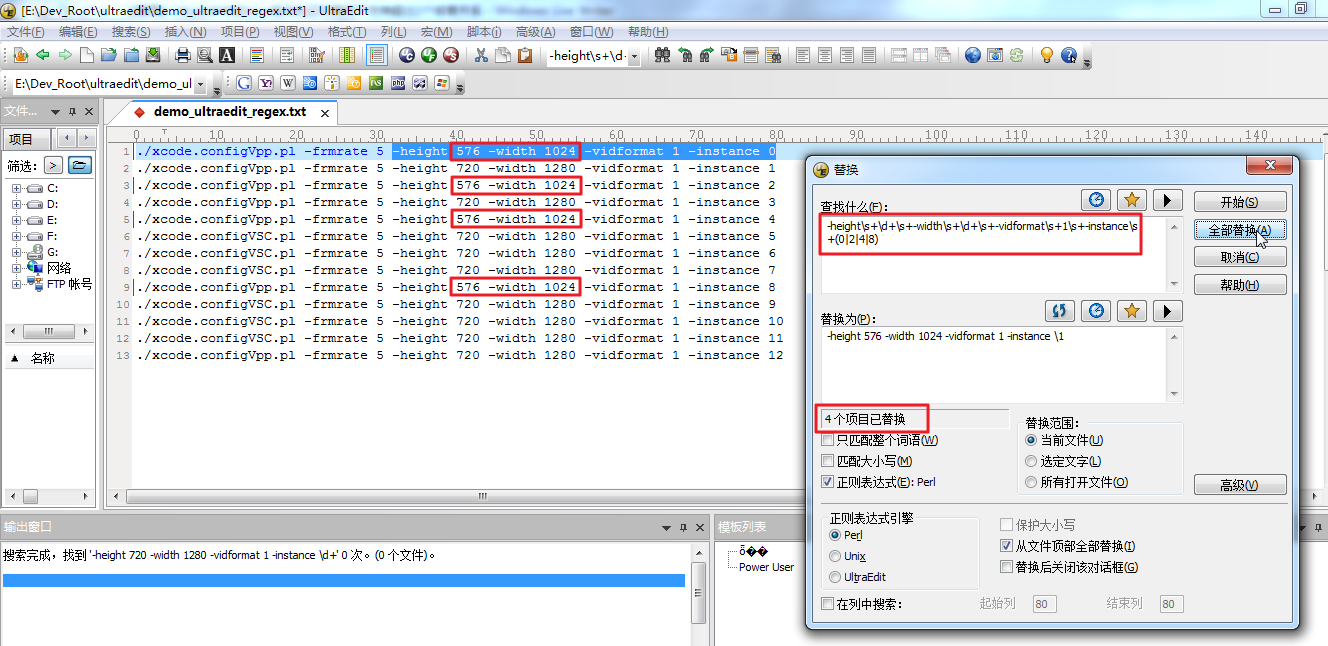
-height\s+\d+\s+-width\s+\d+\s+-vidformat\s+1\s+-instance\s+(0|2|4|8)
-height 576 -width 1024 -vidformat 1 -instance \1
也可以一次性,正确的替换4个:
【总结】
虽然UltraEdit官网有了解释,说Unix版本的Or操作,最多支持2个,但是觉得这种做法,还是尼玛很变态的。
最后,一个普通的,简单的替换,搞得还必须用Perl去实现。。。