折腾:
【记录】小程序优化绘本查询细节的功能和逻辑
期间,需要去实现:
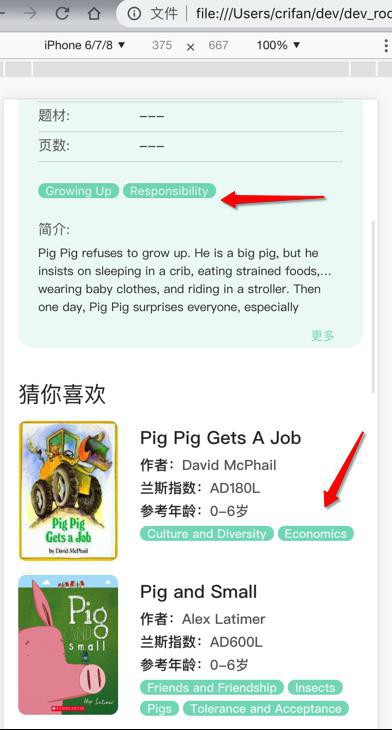
多个页面都有tags的显示:
首页的tag
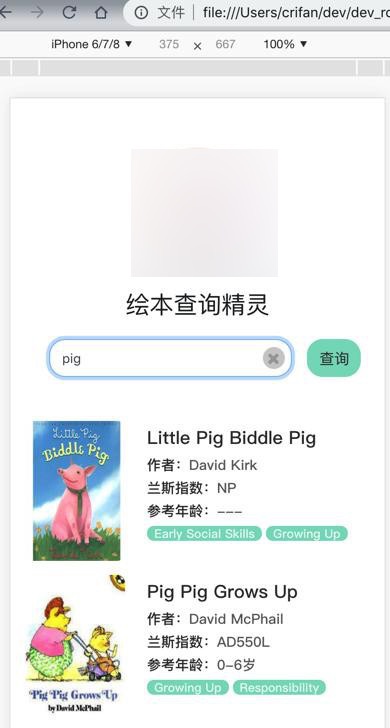
详情页的tag
推荐列表中的tag
所以打算把
用自己自定义的book-list去调用自定义的tags标签组
【总结】
最后用代码:
book-list:
components/book_list/book_list.json
  "component": true,
  "usingComponents": {
    "tags": "/components/tags/tags"
  }
}
components/book_list/book_list.wxml
        <tags
          input-tag-list="{{curBookItem.tags}}"
          book-difficulty="{{curBookItem.grading.difficulty}}"
          highlight-tag="{{highlightTag}}"
        />
tags:
components/tags/tags.json
{
  "component": true,
  "usingComponents": {}
}
components/tags/tags.js
// components/tags/tags.js
const app = getApp() //获取应用实例
const util = require('../../utils/util.js')
const book_common = require('../../utils/book_common.js')

Component({
  // lifetimes: {
  //   created: function () {
  //     // 在组件实例进入页面节点树时执行
  //     console.log("component tags created")
  //   },
  //   attached: function () {
  //     // 在组件实例进入页面节点树时执行
  //     console.log("component tags attached")
  //   },
  //   ready: function () {
  //     // 在组件实例进入页面节点树时执行
  //     console.log("component tags ready")
  //   },
  //   moved: function () {
  //     // 在组件实例进入页面节点树时执行
  //     console.log("component tags moved")
  //   },
  //   detached: function () {
  //     // 在组件实例被从页面节点树移除时执行
  //     console.log("component tags detached")
  //   },
  // },

  // pageLifetimes: {
  //   show: function () {
  //     // 在组件实例进入页面节点树时执行
  //     console.log("component tags show")
  //   },
  // },

  /**
   * 组件的属性列表
   */
  properties: {
    bookDifficulty:{
      // type: Number,
      // value: 0,
      type: String,
      value: "",
    },
    inputTagList: {
      type: Array,
      value: [],
      observer: function (newTagList, oldTagList, changedPath) {
        console.log("inputTagList observer: newTagList=%o, oldTagList=%o, changedPath=%o",
          newTagList, oldTagList, changedPath)

        console.log("this.properties.highlightTag=%s", this.properties.highlightTag)

        if(newTagList){
          var normalTagList = newTagList
          var highlightTagList = []

          if (this.properties.highlightTag) {
            normalTagList = util.removeListItem(newTagList, this.properties.highlightTag)
            highlightTagList = [this.properties.highlightTag]
          }
          console.log("normalTagList=%o, highlightTagList=%o", normalTagList, highlightTagList)

          this.setData({
            normalTagList: normalTagList,
            highlightTagList: highlightTagList,
          })
        }
      }
    },
    highlightTag: {
      type: String,
      value: "",
    //   observer: function (newHighlightTag, oldHighlightTag, changedPath) {
    //     console.log("highlightTag observer: newHighlightTag=%s, oldHighlightTag=%s, changedPath=%o",
    //       newHighlightTag, oldHighlightTag, changedPath)
    // },
    }
  },

  /**
   * 组件的初始数据
   */
  data: {
    highlightTagList: [],
    normalTagList: [],
  },

  /**
   * 组件的方法列表
   */
  methods: {

    tagClickCallback: function (e) {
      console.log("tagClickCallback: e=%o", e)

      var tag = e.currentTarget.dataset.tag
      console.log("tag=%s", tag)
      var difficulty = e.currentTarget.dataset.difficulty
      console.log("difficulty=%s", difficulty)

      var queryParaDict = {
        "tag": tag,
        "difficulty": difficulty,
      }
      var encodedQueryStr = util.encodeQueryDict(queryParaDict)
      console.log("queryParaDict=%o -> encodedQueryStr=%s", encodedQueryStr)

      var indexUrl = '../index/index'
      indexUrl += "?" + encodedQueryStr
      console.log("indexUrl=%s", indexUrl)

      //redirect to index page
      wx.navigateTo({
        url: indexUrl,
      })
    },

  },

})
components/tags/tags.wxml
<!--components/book_list/book_list.wxml-->

<view class='tag_list'>
  <view
    wx:for="{{highlightTagList}}"
    wx:for-index="highlightTagIdx"
    wx:for-item="eachHighlightTag"
    wx:key="*this"

    class='single_tag_normal highlight_tag'
    bindtap='tagClickCallback'
    data-tag="{{eachHighlightTag}}"
    data-difficulty="{{bookDifficulty}}"
  >
    {{eachHighlightTag}}
  </view>

  <view
    wx:for="{{normalTagList}}"
    wx:for-index="normalTagIdx"
    wx:for-item="eachNormalTag"
    wx:key="*this"

    class='single_tag_normal'
    bindtap='tagClickCallback'
    data-tag="{{eachNormalTag}}"
    data-difficulty="{{bookDifficulty}}"
  >
    {{eachNormalTag}}
  </view>
</view>
components/tags/tags.wxss
/* components/tags/tags.wxss */

.tag_list{

}

.single_tag_normal{
  font-size: 12px;
  font-weight: 400;
  margin-right: 4px;
  padding-top: 1px;
  padding-bottom: 0;

  background-color: rgba(97, 210, 179, 0.8);
  color: rgba(255, 255, 255, 0.9);
  height: 15px;
  line-height: 14px;

  display: inline-block;
  text-align: center;
  white-space: nowrap;
  vertical-align: baseline;

  padding-right: 0.6em;
  padding-left: 0.6em;
  border-radius: 10rem;
}

.highlight_tag{
  background-color: rgb(19, 183, 149);
}
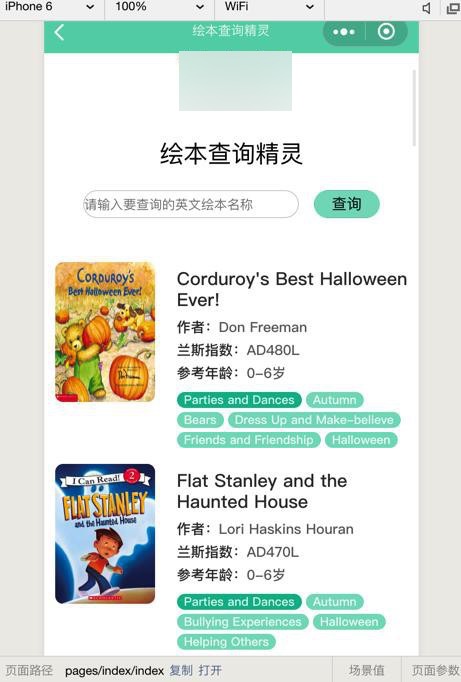
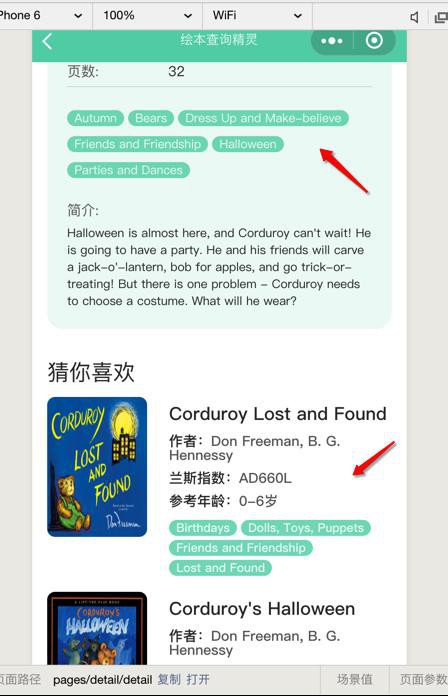
实现了 自定义组件book-list,调用自定义组件tags:
转载请注明:在路上 » 【已解决】小程序中实现自定义组件调用自定义组件