现在用Antd Pro已经实现剧本编写的新建剧本中,新增多个对话:
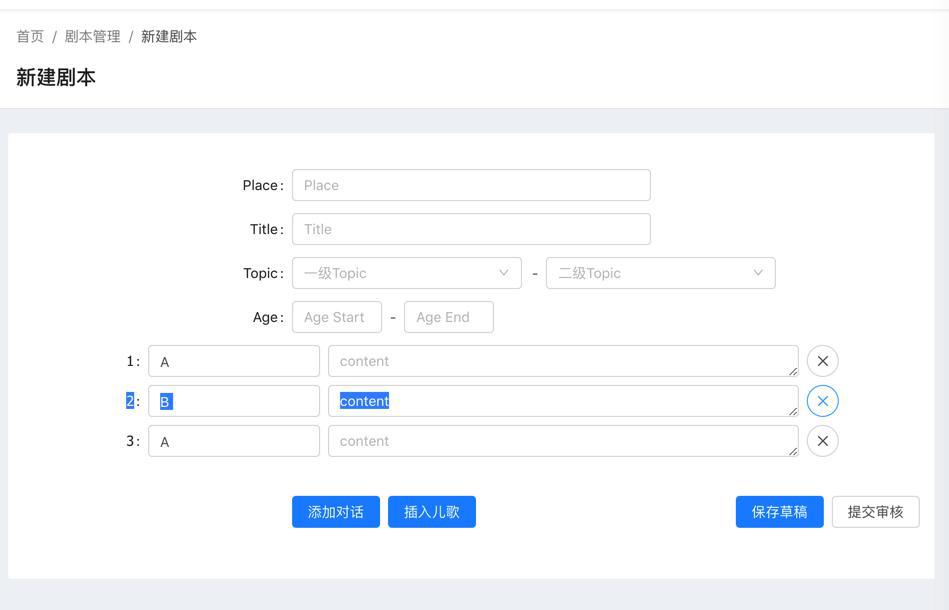
以及插入儿歌之后的效果是:
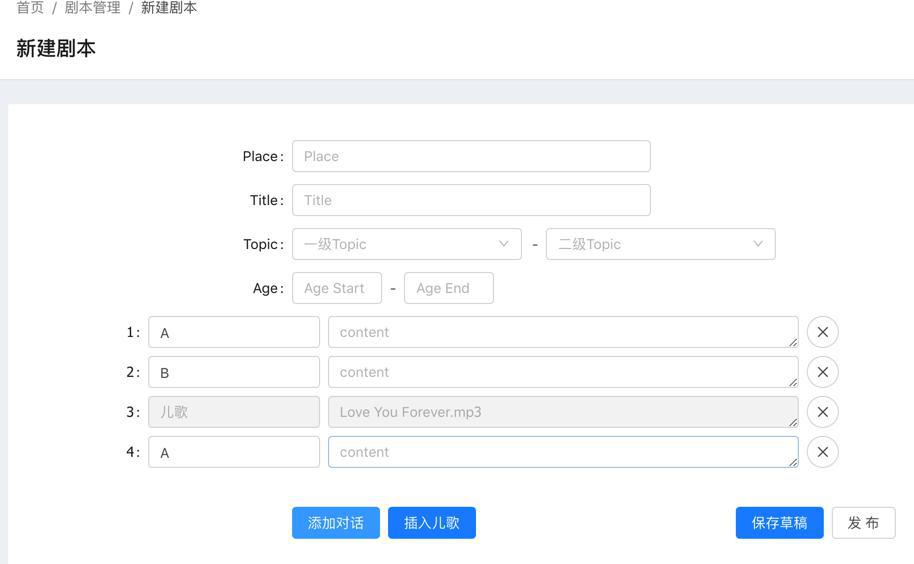
但是希望可以:
手动拖动排序,以实现:
不小心中间漏了,想要在中间的位置插入某条对话
antd pro 拖拽
“拖拽排序
使用自定义元素,我们可以集成 react-dnd 来实现拖拽排序。”
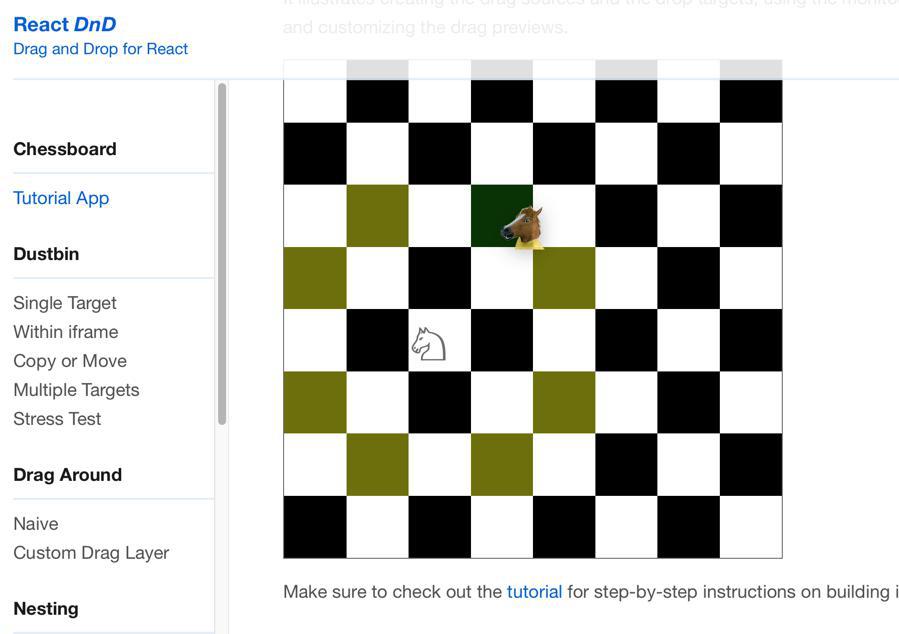
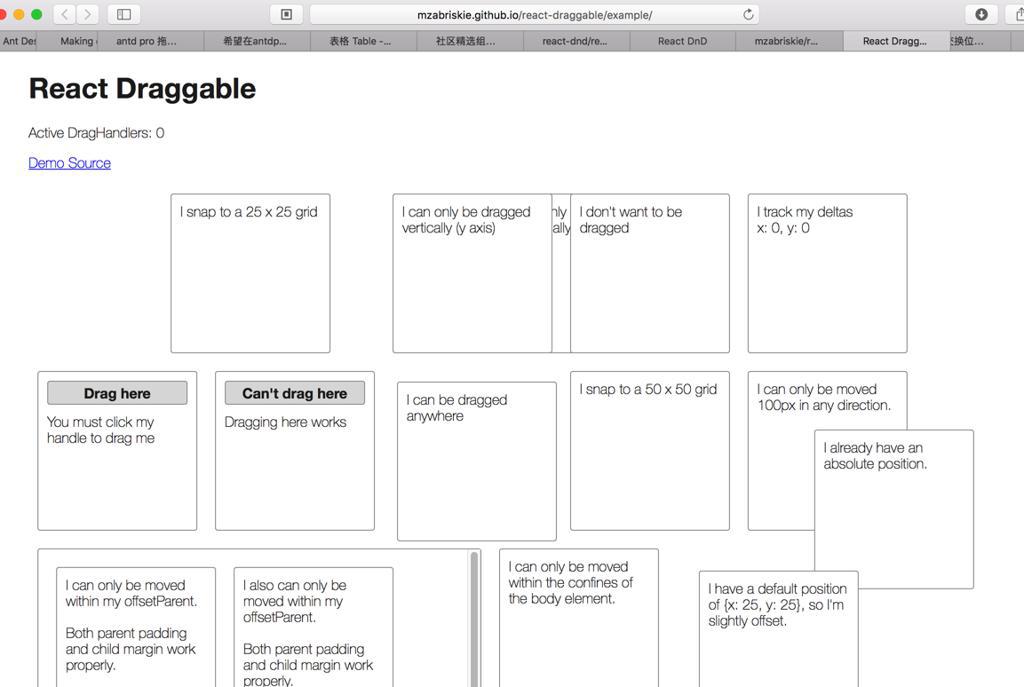
好像都不是我们希望的效果
估计是要高度定制化了。
抽空看看
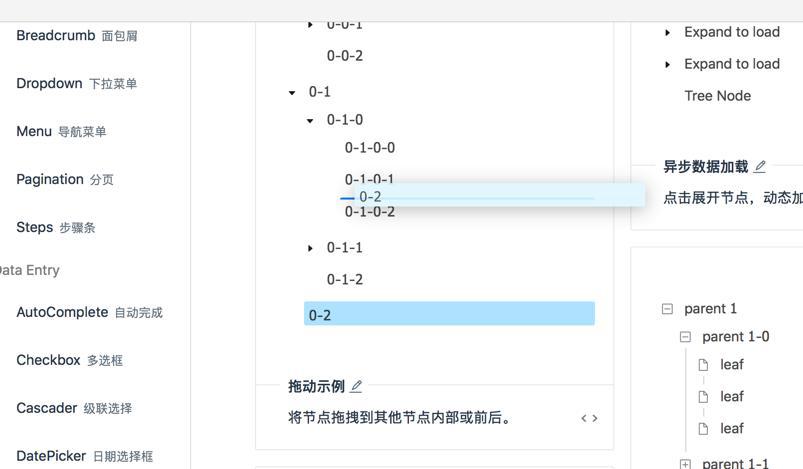
支持树状的拖动
-》或许可以集成到这里
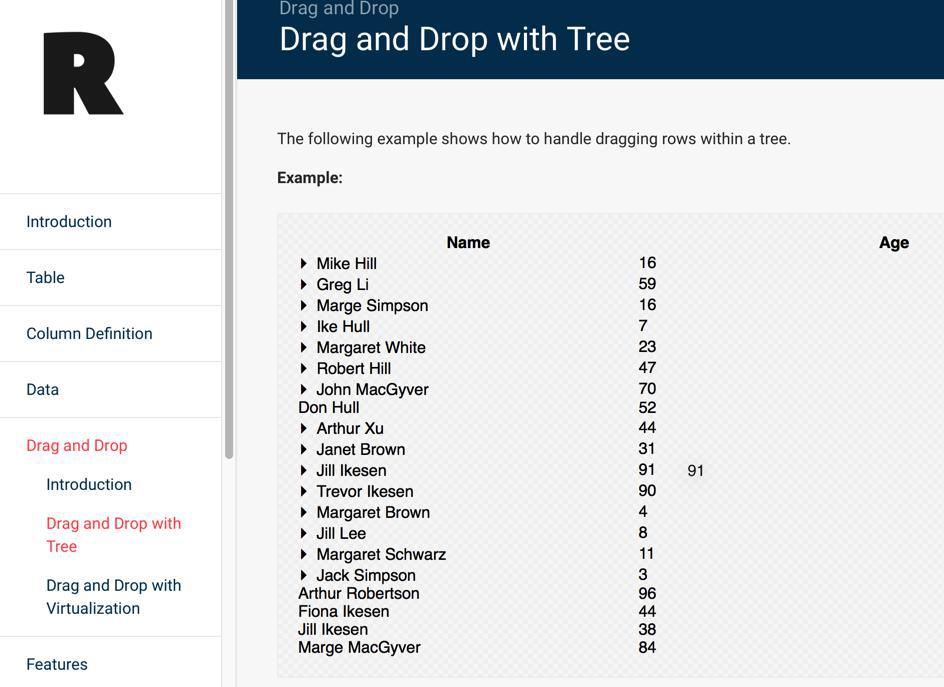
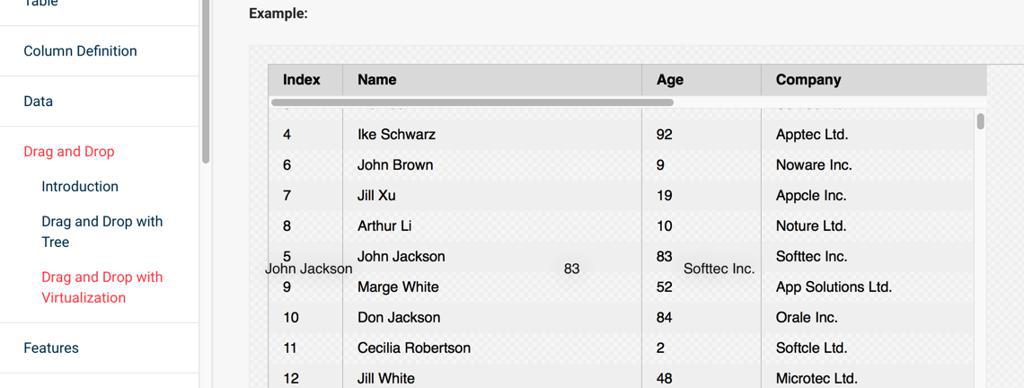
很接近我们需要的
后来也发现了:
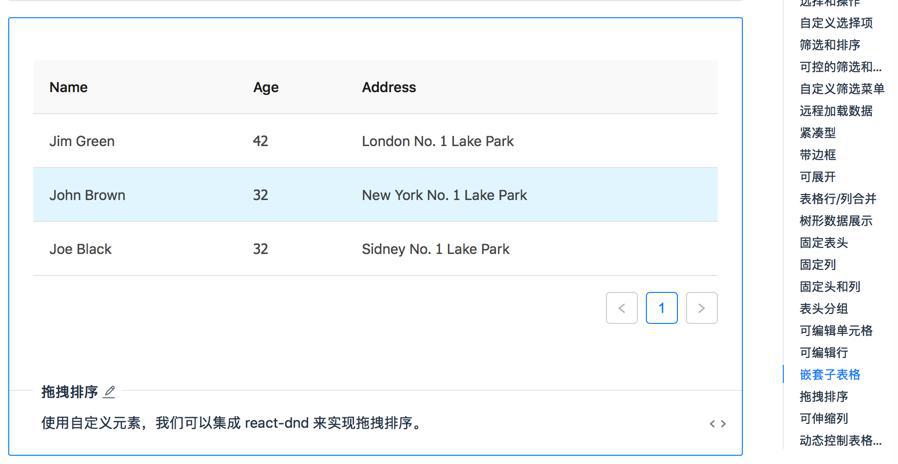
不过发现一些小缺点:
鼠标移动到某行,鼠标变成可拖动,但是对于每行的单元格直接可以编辑的话,是不是就没法直接编辑了?
以及每次新增一行,也要动态的调整新增一行的数据,不知道是否会有其他不方便的
参考人家集成了react-dnd的代码
先去把代码尝试合并进来,看看能不能实现拖动的效果
之后再去考虑,在拖动之前可以实时编辑内容
-》如果不行,就单独设置按钮,开始拖动调整顺序,然后内容只读,结束拖动调整顺序,再允许编辑单元格内容
同时参考:
➜  xxx git:(master) ✗ npm install --save react-dnd react-dnd-html5-backend

npm WARN @babel/[email protected] requires a peer of @babel/[email protected] but none is installed. You must install peer dependencies yourself.
npm WARN @babel/[email protected] requires a peer of @babel/[email protected] but none is installed. Youmust install peer dependencies yourself.
npm WARN @babel/[email protected] requires a peer of @babel/core@>=7.0.0-beta.50 <7.0.0-rc.0 but none is installed. You must install peer dependencies yourself.
npm WARN @babel/[email protected] requires a peer of @babel/[email protected] but none is installed. You must install peer dependencies yourself.
npm WARN [email protected] requires a peer of babel-eslint@^7.2.3 but none is installed. You must install peer dependencies yourself.
npm WARN [email protected] requires a peer of eslint-plugin-jsx-a11y@^5.1.1 but none is installed. You must install peer dependencies yourself.
npm WARN [email protected] requires a peer of eslint-plugin-jsx-a11y@^5.1.1 but none is installed. You must install peer dependencies yourself.
npm WARN [email protected] requires a peer of react@^15.0.0 but none is installed. You must install peer dependencies yourself.
npm WARN [email protected] requires a peer of react-dom@^15.0.0 but none is installed. You must install peer dependencies yourself.
npm WARN [email protected] requires a peer of jest@^22.0.1 || ^22.1.0-alpha.1 || ^23.0.0-alpha.1 but none is installed. You must install peer dependencies yourself.

+ [email protected]
+ [email protected]
added 7 packages from 2 contributors in 29.812s
再去试试代码
但是看到代码中还有个:immutability-helper
好像也需要去安装?
immutability-helper
先试试:
import update from 'react-addons-update';
结果:
Module not found: Can't resolve 'react-addons-update' in
算了,去安装
npm install immutability-helper --save

➜  xxx git:(master) ✗ npm install immutability-helper --save
npm WARN @babel/[email protected] requires a peer of @babel/[email protected] but none is installed. You must install peer dependencies yourself.
npm WARN @babel/[email protected] requires a peer of @babel/[email protected] but none is installed. Youmust install peer dependencies yourself.
npm WARN @babel/[email protected] requires a peer of @babel/core@>=7.0.0-beta.50 <7.0.0-rc.0 but none is installed. You must install peer dependencies yourself.
npm WARN @babel/[email protected] requires a peer of @babel/[email protected] but none is installed. You must install peer dependencies yourself.
npm WARN [email protected] requires a peer of babel-eslint@^7.2.3 but none is installed. You must install peer dependencies yourself.
npm WARN [email protected] requires a peer of eslint-plugin-jsx-a11y@^5.1.1 but none is installed. You must install peer dependencies yourself.
npm WARN [email protected] requires a peer of eslint-plugin-jsx-a11y@^5.1.1 but none is installed. You must install peer dependencies yourself.
npm WARN [email protected] requires a peer of react@^15.0.0 but none is installed. You must install peer dependencies yourself.
npm WARN [email protected] requires a peer of react-dom@^15.0.0 but none is installed. You must install peer dependencies yourself.
npm WARN [email protected] requires a peer of jest@^22.0.1 || ^22.1.0-alpha.1 || ^23.0.0-alpha.1 but none is installed. You must install peer dependencies yourself.

+ [email protected]
added 1 package from 1 contributor in 43.217s

➜  xxx git:(master) ✗ npm install --save react-addons-update
npm WARN @babel/[email protected] requires a peer of @babel/[email protected] but none is installed. You must install peer dependencies yourself.
npm WARN @babel/[email protected] requires a peer of @babel/[email protected] but none is installed. Youmust install peer dependencies yourself.
npm WARN @babel/[email protected] requires a peer of @babel/core@>=7.0.0-beta.50 <7.0.0-rc.0 but none is installed. You must install peer dependencies yourself.
npm WARN @babel/[email protected] requires a peer of @babel/[email protected] but none is installed. You must install peer dependencies yourself.
npm WARN [email protected] requires a peer of babel-eslint@^7.2.3 but none is installed. You must install peer dependencies yourself.
npm WARN [email protected] requires a peer of eslint-plugin-jsx-a11y@^5.1.1 but none is installed. You must install peer dependencies yourself.
npm WARN [email protected] requires a peer of eslint-plugin-jsx-a11y@^5.1.1 but none is installed. You must install peer dependencies yourself.
npm WARN [email protected] requires a peer of react@^15.0.0 but none is installed. You must install peer dependencies yourself.
npm WARN [email protected] requires a peer of react-dom@^15.0.0 but none is installed. You must install peer dependencies yourself.
npm WARN [email protected] requires a peer of jest@^22.0.1 || ^22.1.0-alpha.1 || ^23.0.0-alpha.1 but none is installed. You must install peer dependencies yourself.

+ [email protected]
added 1 package in 28.963s
然后再去试试
弄了半天,终于把demo的代码,跑起来了:
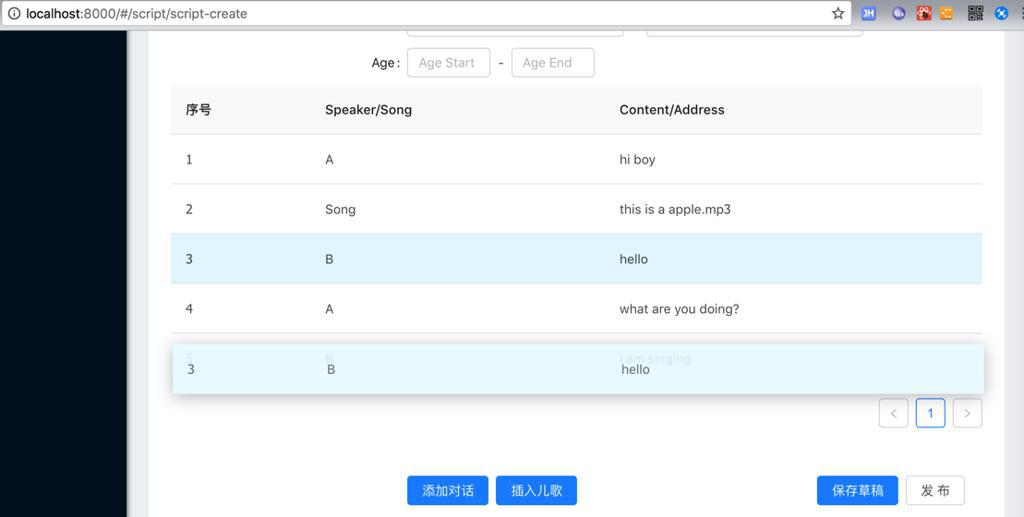
目前的合并的demo代码是:
import { Table } from 'antd';
import { DragDropContext, DragSource, DropTarget } from 'react-dnd';
import HTML5Backend from 'react-dnd-html5-backend';
import update from 'immutability-helper';

const FormItem = Form.Item;
const InputGroup = Input.Group;
const { TextArea } = Input;
const { Option } = Select;

function dragDirection(
  dragIndex,
  hoverIndex,
  initialClientOffset,
  clientOffset,
  sourceClientOffset,
) {
  const hoverMiddleY = (initialClientOffset.y - sourceClientOffset.y) / 2;
  const hoverClientY = clientOffset.y - sourceClientOffset.y;
  if (dragIndex < hoverIndex && hoverClientY > hoverMiddleY) {
    return 'downward';
  }
  if (dragIndex > hoverIndex && hoverClientY < hoverMiddleY) {
    return 'upward';
  }
}

class BodyRow extends
React.Component
 {
  render() {
    const {
      isOver,
      connectDragSource,
      connectDropTarget,
      moveRow,
      dragRow,
      clientOffset,
      sourceClientOffset,
      initialClientOffset,
      ...restProps
    } = this.props;
    const style = { ...restProps.style, cursor: 'move' };

    let className = restProps.className;
    if (isOver && initialClientOffset) {
      const direction = dragDirection(
        dragRow.index,
        restProps.index,
        initialClientOffset,
        clientOffset,
        sourceClientOffset
      );
      if (direction === 'downward') {
        className += ' drop-over-downward';
      }
      if (direction === 'upward') {
        className += ' drop-over-upward';
      }
    }

    return connectDragSource(
      connectDropTarget(
        <tr
          {...restProps}
          className={className}
          style={style}
        />
      )
    );
  }
}

const rowSource = {
  beginDrag(props) {
    return {
      index: props.index,
    };
  },
};

const rowTarget = {
  drop(props, monitor) {
    const dragIndex = monitor.getItem().index;
    const hoverIndex = props.index;

    // Don't replace items with themselves
    if (dragIndex === hoverIndex) {
      return;
    }

    // Time to actually perform the action
    props.moveRow(dragIndex, hoverIndex);

    // Note: we're mutating the monitor item here!
    // Generally it's better to avoid mutations,
    // but it's good here for the sake of performance
    // to avoid expensive index searches.
    monitor.getItem().index = hoverIndex;
  },
};

const DragableBodyRow = DropTarget('row', rowTarget, (connect, monitor) => ({
  connectDropTarget: connect.dropTarget(),
  isOver: monitor.isOver(),
  sourceClientOffset: monitor.getSourceClientOffset(),
}))(
  DragSource('row', rowSource, (connect, monitor) => ({
    connectDragSource: connect.dragSource(),
    dragRow: monitor.getItem(),
    clientOffset: monitor.getClientOffset(),
    initialClientOffset: monitor.getInitialClientOffset(),
  }))(BodyRow)
);

const columns = [
  // {
  //   title: 'Name',
  //   dataIndex: 'name',
  //   key: 'name',
  // }, {
  //   title: 'Age',
  //   dataIndex: 'age',
  //   key: 'age',
  // }, {
  //   title: 'Address',
  //   dataIndex: 'address',
  //   key: 'address',
  // },
  {
    title: '序号',
    // dataIndex: 'number',
    // rowKey: 'number',
    // fixed: 'left',
    render(text, record, index) {
      return index + 1;
    },
  },
  {
    title: 'Speaker/Song',
    dataIndex: 'speakerOrSong',
    key: 'speakerOrSong',
  },
  {
    title: 'Content/Address',
    dataIndex: 'contentOrAddress',
    key: 'contentOrAddress',
  },
];

/* eslint-disable */

class DragSortingTable extends
React.Component
 {
  state = {
    data: [
      // {
      //   key: '1',
      //   name: 'John Brown',
      //   age: 32,
      //   address: 'New York No. 1 Lake Park',
      // }, {
      //   key: '2',
      //   name: 'Jim Green',
      //   age: 42,
      //   address: 'London No. 1 Lake Park',
      // }, {
      //   key: '3',
      //   name: 'Joe Black',
      //   age: 32,
      //   address: 'Sidney No. 1 Lake Park',
      // }
      {
        key: '1',
        speakerOrSong: 'A',
        contentOrAddress: 'hi boy',
      },
      {
        key: '2',
        speakerOrSong: 'B',
        contentOrAddress: 'hello',
      },
      {
        key: '3',
        speakerOrSong: 'A',
        contentOrAddress: 'what are you doing?',
      },
      {
        key: '4',
        speakerOrSong: 'B',
        contentOrAddress: 'I am singing',
      },
      {
        key: '5',
        speakerOrSong: 'Song',
        contentOrAddress: 'this is a apple.mp3',
      },
    ],
  }

  components = {
    body: {
      row: DragableBodyRow,
    },
  }

  moveRow = (dragIndex, hoverIndex) => {
    const { data } = this.state;
    const dragRow = data[dragIndex];

    this.setState(
      update(this.state, {
        data: {
          $splice: [[dragIndex, 1], [hoverIndex, 0, dragRow]],
        },
      }),
    );
  }

  render() {
    return (
      <Table
        columns={columns}
        dataSource={this.state.data}
        components={
this.components
}
        onRow={(record, index) => ({
          index,
          moveRow: this.moveRow,
        })}
      />
    );
  }
}
/* eslint-disable */

const DemoSortableTable = DragDropContext(HTML5Backend)(DragSortingTable);


  render() {
    ...

    return (
      <PageHeaderLayout
        title="新建剧本"
      >
        ...
            </FormItem>

            {/* {this.buildDialog()} */}

            {/* <div style={{ width:800, height: 360 }}> */}
              {/* { this.DemoSortableTable } */}
              <DemoSortableTable />
            {/* </div> */}

            <FormItem {...submitFormLayout} style={{ marginTop: 32 }}>
              ...
    );
  }
}
然后再去想办法,合并到现有的页面中去
以及合并自己的业务逻辑
期间涉及到:
【已解决】Reactjs中如何在Component的外部改变和获取state状态值
然后算是完成了:外部列表变化,可以传递到内部的可拖动排序的列表了
但是还要去解决:
【已解决】reactjs中如何获取子元素中当前的状态值
另外,再去解决此处需要实时编辑可拖动的表格中的单元格的值:
【已解决】Antd Pro的ReactJS中实现既可以编辑单元格值又可以拖动排序的表格
此时已经实现想要的拖动排序的效果了。
且至此在可拖动和可编辑之前切换。
接着去优化一下整个代码结构
【已解决】剧本编写系统中优化可拖动排序可编辑单元格的表格
如此,即可完成,根据传入模式决定当前显示的模式:
可编辑模式:支持点击单元格,直接编辑cell的值
还是
可拖动:通过拖动行到别的位置,实现更换row行到顺序。
具体代码和效果,详见:
【已解决】剧本编写系统中优化可拖动排序可编辑单元格的表格
转载请注明:在路上 » 【已解决】AntD Pro中支持剧本剧本编写时拖动排序单个对话