折腾:
【已解决】用Python去连接本地mongoDB去用GridFS保存文件
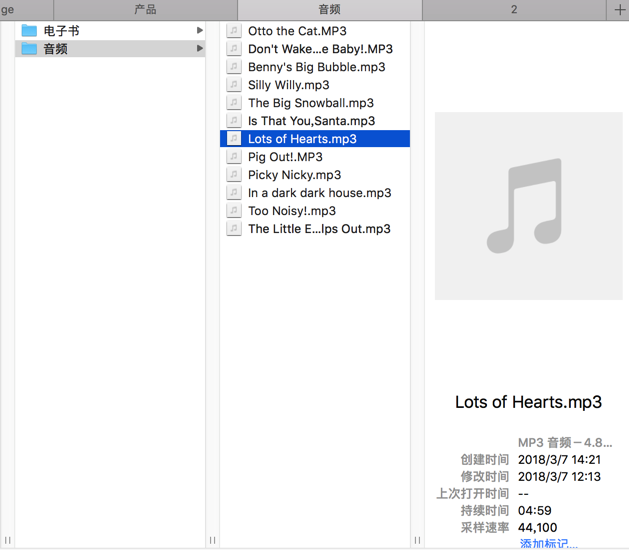
期间,需要去搞清楚,如何用Python的PyMongo的GridFS的put去保存文件,比如本地的一个mp3文件:
GridFS Example — PyMongo 3.6.1 documentation
也是可以用:
<code># fsCollection = gridfsDb.fs
fsCollection = gridfsDb["fs"]
</code>
去获取collection的
然后代码:
<code># -*- coding: utf-8 -*-

# import pymongo
from pymongo import MongoClient
import gridfs
import pprint

mongoClient = MongoClient()

gridfsDb = mongoClient.gridfs

collectionNames = gridfsDb.collection_names(include_system_collections=False)
pprint.pprint(collectionNames)

# fsCollection = gridfsDb.fs
fsCollection = gridfsDb["fs"]

someFile = fsCollection.files.find_one()
pprint.pprint(someFile)

ottoTheCatFile = fsCollection.files.find_one({"filename": "Otto the Cat-withMIME.MP3"})
pprint.pprint(ottoTheCatFile["filename"])
pprint.pprint(ottoTheCatFile["_id"])
pprint.pprint(ottoTheCatFile["chunkSize"])
pprint.pprint(ottoTheCatFile["contentType"])
pprint.pprint(ottoTheCatFile["length"])
pprint.pprint(ottoTheCatFile["md5"])
pprint.pprint(ottoTheCatFile["uploadDate"])
</code>
输出:
<code>[u'fs.chunks', u'fs.files']
{u'_id': ObjectId('5abc43a4a4bc712159a35cd9'),
 u'chunkSize': 261120,
 u'contentType': u'audio/mpeg',
 u'filename': u'Otto the Cat-withMIME.MP3',
 u'length': 8338105,
 u'md5': u'b7660d833085e9e1a21813e4d74b0cc3',
 u'uploadDate': datetime.datetime(2018, 3, 29, 1, 38, 44, 853000)}
u'Otto the Cat-withMIME.MP3'
ObjectId('5abc43a4a4bc712159a35cd9')
261120
u'audio/mpeg'
8338105
u'b7660d833085e9e1a21813e4d74b0cc3'
datetime.datetime(2018, 3, 29, 1, 38, 44, 853000)
</code>
再去试试put,且带额外参数的
gridfs – Tools for working with GridFS — PyMongo 3.6.1 documentation
mongo gridfs put file
How do I save a file to MongoDB? – Stack Overflow
A primer for GridFS using the Mongo DB driver — MongoDB Node.JS Driver 1.4.9 documentation
Building MongoDB Applications with Binary Files Using GridFS: Part 1 | MongoDB
Building MongoDB Applications with Binary Files Using GridFS: Part 2 | MongoDB
Uploading files to MongoDB GridFS — Matthias Noback – Blog
mongo gridfs python example
mongo-python-driver/gridfs.rst at master · mongodb/mongo-python-driver
奶奶的,就是没有 普通的file文件的事例代码。
虽然前面的example能基本看懂,但是没有合适的直接的借用的file的例子啊
<code>fileID = fs.put( open( r'owl.jpg', 'r')  )
</code>
Mongodb GridFS using Python – Abhay PS
终于有了:
<code>with open('/tmp/first-invoice.pdf') as f:
... invoice = fs.put(f, content_type='application/pdf', filename='first-invoice.pdf')
</code>
Get to Know GridFS: The MongoDB Filesystem – DZone Database
去试试
结果出错:
【已解决】PyMongo的GridFS中使用fs的collection去put出错:TypeError Collection object is not callable
去命令行中看看,就有了:
<code>> db.fs.files.find().pretty()
{
"_id" : ObjectId("5abc43a4a4bc712159a35cd9"),
"chunkSize" : 261120,
"uploadDate" : ISODate("2018-03-29T01:38:44.853Z"),
"length" : 8338105,
"md5" : "b7660d833085e9e1a21813e4d74b0cc3",
"filename" : "Otto the Cat-withMIME.MP3",
"contentType" : "audio/mpeg"
}
{
"_id" : ObjectId("5abc8d77a4bc71563222d455"),
"contentType" : "application/mpeg",
"chunkSize" : 261120,
"filename" : "Lots of Hearts_withMIME.mp3",
"length" : 4795707,
"uploadDate" : ISODate("2018-03-29T06:53:43.744Z"),
"md5" : "955d19f230a5824e0fd5f41bee3dda21"
}
</code>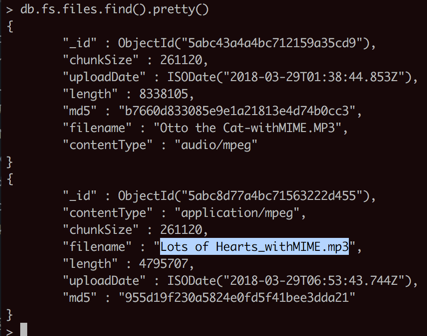
【总结】
此处用PyMongo的put去保存文件的完整代码是:
<code># -*- coding: utf-8 -*-

import pymongo
from pymongo import MongoClient
import gridfs
from gridfs import GridFS
import os
import logging
import re

mongoClient = MongoClient()
logging.info("mongoClient=%s", mongoClient)

# gridfsDb = mongoClient.gridfs
gridfsDb = mongoClient.gridfs
logging.info("gridfsDb=%s", gridfsDb)

collectionNames = gridfsDb.collection_names(include_system_collections=False)
logging.info("collectionNames=%s", collectionNames)

# fsCollection = gridfsDb.fs
# fsCollection = gridfsDb["fs"]
fsCollection = GridFS(gridfsDb)
logging.info("fsCollection=%s", fsCollection)

# test put local file
curAudioFilename = "英语资源\All Aboard Reading\音频\Lots of Hearts.mp3"
curAudioFilenameFiltered = re.sub(r"\\", "/", curAudioFilename) #'英语资源/All Aboard Reading/音频/Lots of Hearts.mp3'
# curAudioFullFilename = "/Users/crifan/dev/dev_root/company/naturling/数据/FromMaggie/" + curAudioFilename
pathPrefix = "/Users/crifan/dev/dev_root/company/naturling/数据/FromMaggie/"
curAudioFullFilename = os.path.join(pathPrefix, curAudioFilenameFiltered)

if os.path.isfile(curAudioFullFilename):
    with open(curAudioFullFilename) as audioFp :
        audioFileId = fsCollection.put(audioFp,
                         filename="Lots of Hearts_withMIME.mp3",
                         content_type="application/mpeg")
        logging.info("audioFileId=%s", audioFileId)
else:
    logging.error("Can not find file: %s", curAudioFullFilename)
</code>
保存文件后的效果:
<code>> db.fs.files.find().pretty()
{
"_id" : ObjectId("5abc8d77a4bc71563222d455"),
"contentType" : "application/mpeg",
"chunkSize" : 261120,
"filename" : "Lots of Hearts_withMIME.mp3",
"length" : 4795707,
"uploadDate" : ISODate("2018-03-29T06:53:43.744Z"),
"md5" : "955d19f230a5824e0fd5f41bee3dda21"
}
</code>