折腾:
【未解决】vuejs的vue-admin-template中自己手动实现画出类似电路图的控制面板图
期间,再去添加文字
参考:
用:
ctx.strokeText('进线', 10, 200)结果:
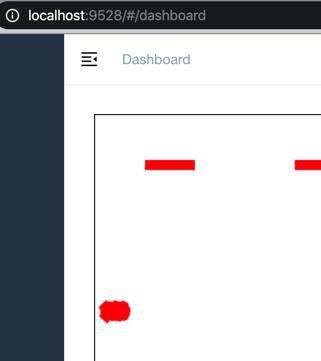
挤在一起了。且背景色(和边框)是红色。
所以要去:画白色文字
不过,感觉是:需要先去画背景色是透明的文字
canvas fillstyle 透明
// 调节透明度
ctx.globalAlpha=0.2;
      ctx.fillStyle = 'white'
      ctx.strokeStyle = 'green'
      // ctx.lineWidth = 10
      ctx.lineWidth = 1
      ctx.font = '20px 宋体'
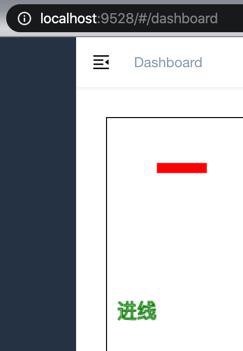
      ctx.strokeText('进线', 10, 200)
效果:
再去调整文字:
      // 获得 2d 上下文对象
      const ctx = canvas.getContext('2d')

      // ctx.fillStyle = 'green'
      ctx.fillStyle = 'red'
      // ctx.strokeStyle = 'green'
      ctx.strokeStyle = 'red'
      ctx.lineWidth = 6


      ctx.beginPath() // 新建一条path

...
      ctx.stroke() // 绘制路径


      ctx.fillStyle = 'white'
      ctx.strokeStyle = 'green'
      // ctx.lineWidth = 10
      ctx.lineWidth = 1
      ctx.font = '12px 宋体'
      ctx.strokeText('进线', 270, 30)
效果:
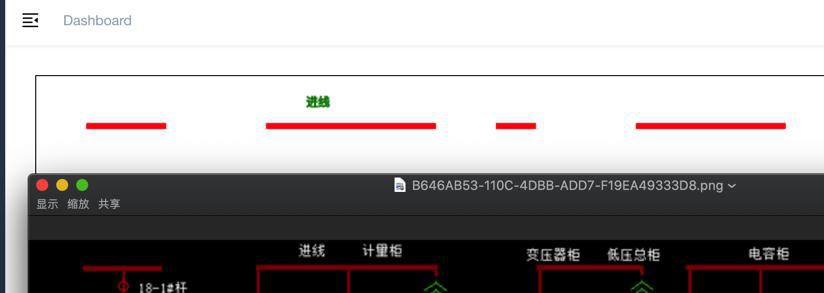
但是还是没有实现:白色文字
canvas text color
就是:
ctx.fillStyle = “red”;
设置的颜色
不过用的是fillText:
ctx.fillText("Hello World", canvas.width/2, canvas.height/2); 所以改为:
      ctx.fillStyle = 'white'
      // ctx.strokeStyle = 'green'
      // ctx.lineWidth = 10
      ctx.lineWidth = 1
      ctx.font = '12px 宋体'
      // ctx.strokeText('进线', 270, 30)
      ctx.fillText('进线', 270, 30)
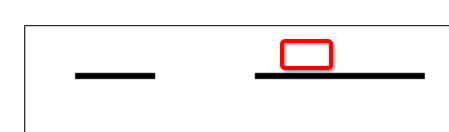
应该是可以显示白色的了。
只不过背景是白色,所以看不见:
所以再去:
【已解决】Html的Canvas设置全局背景色
然后即可:
【总结】
      ctx.fillStyle = 'white'
      // ctx.strokeStyle = 'green'
      // ctx.lineWidth = 10
      ctx.lineWidth = 1
      ctx.font = '12px 宋体'
      // ctx.strokeText('进线', 270, 30)
      ctx.fillText('进线', 270, 30)
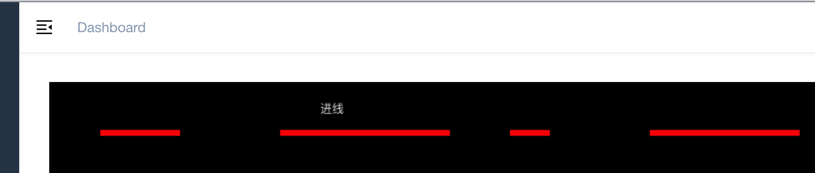
目前效果:
转载请注明:在路上 » 【已解决】HTML中用Canvas画文字