最新消息:20210816 当前crifan.com域名已被污染,为防止失联,请关注(页面右下角的)公众号

【记录】为Python安装MySQL数据库模块:MySQLdb

Python crifan 21398浏览

背景

折腾:

【记录】使用Python操作MySQL数据库

的过程中,需要去安装MySQLdb。

下载MySQLdb

去官网:

http://pypi.python.org/pypi/MySQL-python/

看到有1.2.4和1.2.3

所以去最新的1.2.4:

http://pypi.python.org/pypi/MySQL-python/1.2.4

下载对应的编译好的版本:

MySQL-python-1.2.4.win32-py2.7.exe

得到1MB的

MySQL-python-1.2.4.win32-py2.7.exe

安装MySQLdb

双击安装:
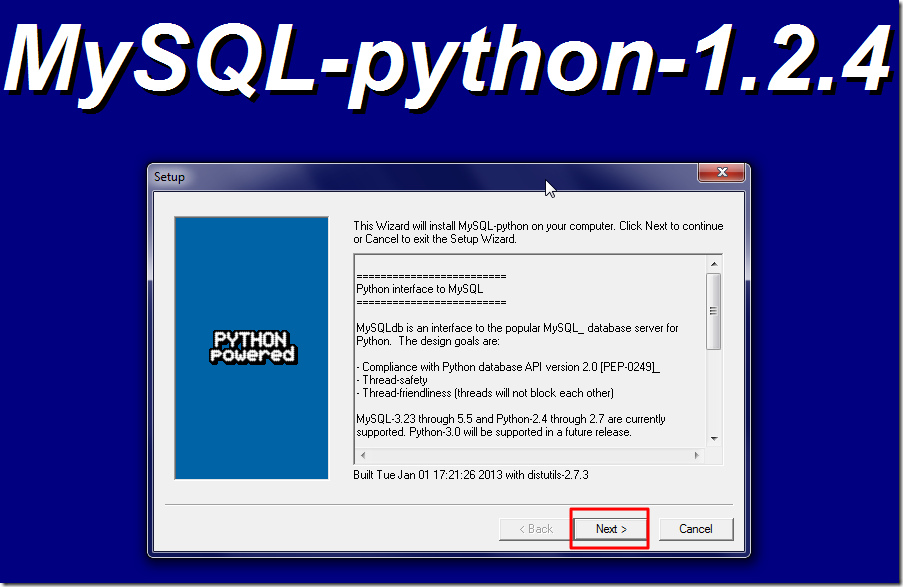
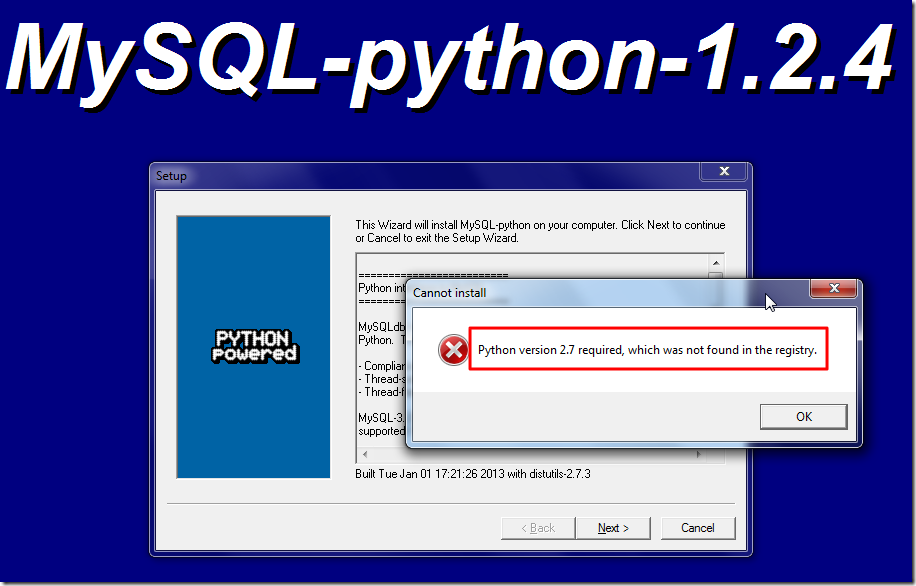
mysql python install main ui

结果出错:

not found in the reg for python 2.7

看来此x86的exe,是不支持我的win7 x64。

所以只能去下载源码再去安装了。

下载源码:

MySQL-python-1.2.4.zip

然后再去解压和安装,结果果然出现

error: Unable to find vcvarsall.bat

的错误:

D:\tmp\dev_tools\python\mysql\MySQL-python-1.2.4\MySQL-python-1.2.4>setup.py install          
Downloading http://pypi.python.org/packages/source/d/distribute/distribute-0.6.28.tar.gz            
Extracting in c:\users\cli\appdata\local\temp\tmpkapo0l            
Now working in c:\users\cli\appdata\local\temp\tmpkapo0l\distribute-0.6.28            
Building a Distribute egg in D:\tmp\dev_tools\python\mysql\MySQL-python-1.2.4\MySQL-python-1.2.4            
D:\tmp\dev_tools\python\mysql\MySQL-python-1.2.4\MySQL-python-1.2.4\distribute-0.6.28-py2.7.egg            
running install            
running bdist_egg            
running egg_info            
writing MySQL_python.egg-info\PKG-INFO            
writing top-level names to MySQL_python.egg-info\top_level.txt            
writing dependency_links to MySQL_python.egg-info\dependency_links.txt            
writing MySQL_python.egg-info\PKG-INFO            
writing top-level names to MySQL_python.egg-info\top_level.txt            
writing dependency_links to MySQL_python.egg-info\dependency_links.txt            
reading manifest file ‘MySQL_python.egg-info\SOURCES.txt’            
reading manifest template ‘MANIFEST.in’            
writing manifest file ‘MySQL_python.egg-info\SOURCES.txt’            
installing library code to build\bdist.win-amd64\egg            
running install_lib            
running build_py            
creating build            
creating build\lib.win-amd64-2.7            
copying _mysql_exceptions.py -> build\lib.win-amd64-2.7            
creating build\lib.win-amd64-2.7\MySQLdb            
copying MySQLdb\__init__.py -> build\lib.win-amd64-2.7\MySQLdb            
copying MySQLdb\converters.py -> build\lib.win-amd64-2.7\MySQLdb            
copying MySQLdb\connections.py -> build\lib.win-amd64-2.7\MySQLdb            
copying MySQLdb\cursors.py -> build\lib.win-amd64-2.7\MySQLdb            
copying MySQLdb\release.py -> build\lib.win-amd64-2.7\MySQLdb            
copying MySQLdb\times.py -> build\lib.win-amd64-2.7\MySQLdb            
creating build\lib.win-amd64-2.7\MySQLdb\constants            
copying MySQLdb\constants\__init__.py -> build\lib.win-amd64-2.7\MySQLdb\constants            
copying MySQLdb\constants\CR.py -> build\lib.win-amd64-2.7\MySQLdb\constants            
copying MySQLdb\constants\FIELD_TYPE.py -> build\lib.win-amd64-2.7\MySQLdb\constants            
copying MySQLdb\constants\ER.py -> build\lib.win-amd64-2.7\MySQLdb\constants            
copying MySQLdb\constants\FLAG.py -> build\lib.win-amd64-2.7\MySQLdb\constants            
copying MySQLdb\constants\REFRESH.py -> build\lib.win-amd64-2.7\MySQLdb\constants            
copying MySQLdb\constants\CLIENT.py -> build\lib.win-amd64-2.7\MySQLdb\constants            
running build_ext            
building ‘_mysql’ extension            
error: Unable to find vcvarsall.bat

D:\tmp\dev_tools\python\mysql\MySQL-python-1.2.4\MySQL-python-1.2.4>

然后参考之前的办法,结果还是出错:

D:\tmp\dev_tools\python\mysql\MySQL-python-1.2.4\MySQL-python-1.2.4>SET VS90COMNTOOLS=%VS100COMNTOOLS%

D:\tmp\dev_tools\python\mysql\MySQL-python-1.2.4\MySQL-python-1.2.4>setup.py install          
running install            
running bdist_egg            
running egg_info            
writing MySQL_python.egg-info\PKG-INFO            
writing top-level names to MySQL_python.egg-info\top_level.txt            
writing dependency_links to MySQL_python.egg-info\dependency_links.txt            
writing MySQL_python.egg-info\PKG-INFO            
writing top-level names to MySQL_python.egg-info\top_level.txt            
writing dependency_links to MySQL_python.egg-info\dependency_links.txt            
reading manifest file ‘MySQL_python.egg-info\SOURCES.txt’            
reading manifest template ‘MANIFEST.in’            
writing manifest file ‘MySQL_python.egg-info\SOURCES.txt’            
installing library code to build\bdist.win-amd64\egg            
running install_lib            
running build_py            
copying MySQLdb\release.py -> build\lib.win-amd64-2.7\MySQLdb            
running build_ext            
building ‘_mysql’ extension            
creating build\temp.win-amd64-2.7            
creating build\temp.win-amd64-2.7\Release            
C:\Program Files (x86)\Microsoft Visual Studio 10.0\VC\BIN\amd64\cl.exe /c /nologo /Ox /MD /W3 /GS- /DNDEBUG -Dversion_info=(1,2,4,’final’,1) -D__version__=1.2.4 "-IC:\Program Files (x86)\MySQL\MySQL            
Connector C 6.0.2\include" -ID:\tmp\dev_install_root\Python27_x64\include -ID:\tmp\dev_install_root\Python27_x64\PC /Tc_mysql.c /Fobuild\temp.win-amd64-2.7\Release\_mysql.obj /Zl            
_mysql.c            
_mysql.c(42) : fatal error C1083: Cannot open include file: ‘config-win.h’: No such file or directory            
error: command ‘"C:\Program Files (x86)\Microsoft Visual Studio 10.0\VC\BIN\amd64\cl.exe"’ failed with exit status 2

D:\tmp\dev_tools\python\mysql\MySQL-python-1.2.4\MySQL-python-1.2.4>         

然后再参考:

Windows下安装MySQLdb遇到的问题及解决方法

所说的:

1)问题 : _mysql.c(34) : fatal error C1083: Cannot open include file: ‘config-win.h’: No such file or directory      
error: command ‘”C:/Program Files/Microsoft Visual Studio 9.0/VC/BIN/cl.exe”‘ failed with exit status 2

原因 :原因是安装MySQL的时候没有安装C语言库。

解决 :重新运行MySQL的安装程序,选择Modify,把“C Include Files / Lib Files”勾选上,并安装。

去重新安装mysql。


继续:

【记录】为Python安装MySQL数据库模块:MySQLdb

的折腾:

1.参考:

MySQL-python 1.2.3 for Windows and Python 2.7, 32bit and 64bit versions

得知:

python的

此处的要安装x64还是x86,是取决于你所安装的Python的版本,而不是OS的版本。

所以此处去x64 win7中的cmd中确认一下python的版本:

C:\Users\CLi>python
Python 2.7.3 (default, Apr 10 2012, 23:24:47) [MSC v.1500 64 bit (AMD64)] on win32
Type "help", "copyright", "credits" or "license" for more information.
>>>

的确是x64的,所以的确要安装的是x64。

2.下载对应的:

MySQL-python-1.2.3.win-amd64-py2.7.exe (1.0 MiB)

结果链接失效:“File does not exist.”

3.从:

http://www.codegood.com/downloads

找到一堆的下载,但是结果都失效了。

4.参考:

Python: How to install mysqldb on windows 7 x64?

结果最后找到的下载地址也是上面的那个失效的地址。

5.还是参考:

Install MySQLdb for Python 2.6 in Windows 7 64-bit

python MySQLdb在windows环境下的快速安装、问题解决方式

去自己编译吧。

6.然后还是同样错误:

D:\tmp\dev_tools\python\mysql\MySQL-python-1.2.4\MySQL-python-1.2.4>SET VS90COMNTOOLS=%VS100COMNTOOLS%

D:\tmp\dev_tools\python\mysql\MySQL-python-1.2.4\MySQL-python-1.2.4>setup.py install
running install
running bdist_egg
running egg_info
writing MySQL_python.egg-info\PKG-INFO
writing top-level names to MySQL_python.egg-info\top_level.txt
writing dependency_links to MySQL_python.egg-info\dependency_links.txt
writing MySQL_python.egg-info\PKG-INFO
writing top-level names to MySQL_python.egg-info\top_level.txt
writing dependency_links to MySQL_python.egg-info\dependency_links.txt
reading manifest file ‘MySQL_python.egg-info\SOURCES.txt’
reading manifest template ‘MANIFEST.in’
writing manifest file ‘MySQL_python.egg-info\SOURCES.txt’
installing library code to build\bdist.win-amd64\egg
running install_lib
running build_py
copying MySQLdb\release.py -> build\lib.win-amd64-2.7\MySQLdb
running build_ext
building ‘_mysql’ extension
C:\Program Files (x86)\Microsoft Visual Studio 10.0\VC\BIN\amd64\cl.exe /c /nologo /Ox /MD /W3 /GS- /DNDEBUG -Dversion_info=(1,2,4,’final’,1) -D__version__=1.2.4 "-IC:\Program File
s (x86)\MySQL\MySQL Connector C 6.0.2\include" -ID:\tmp\dev_install_root\Python27_x64\include -ID:\tmp\dev_install_root\Python27_x64\PC /Tc_mysql.c /Fobuild\temp.win-amd64-2.7\Rele
ase\_mysql.obj /Zl
_mysql.c
_mysql.c(42) : fatal error C1083: Cannot open include file: ‘config-win.h’: No such file or directory
error: command ‘"C:\Program Files (x86)\Microsoft Visual Studio 10.0\VC\BIN\amd64\cl.exe"’ failed with exit status 2

然后参考:

Install Python-MySql on Windows 7 64-bit

看到了site.cfg内容是:

[options]
# embedded: link against the embedded server library
# threadsafe: use the threadsafe client
# static: link against a static library (probably required for embedded)

embedded = False
threadsafe = True
static = False

# The path to mysql_config.
# Only use this if mysql_config is not on your PATH, or you have some weird
# setup that requires it.
#mysql_config = /usr/local/bin/mysql_config

# http://stackoverflow.com/questions/1972259/mysql-python-install-problem-using-virtualenv-windows-pip
# Windows connector libs for MySQL. You need a 32-bit connector for your 32-bit Python build.
connector = C:\Program Files (x86)\MySQL\MySQL Connector C 6.0.2

然后注意到了,上面的编译过程中的include的路径,就是此处的connector的值。

7.又在这里:

Unofficial Windows Binaries for Python Extension Packages

找到了一个已编译的版本的下载地址:

MySQL-python-1.2.3.win-amd64-py2.7.exe [1.1 Mb] [Python 2.7] [64 bit] [JUN 08, 2011]

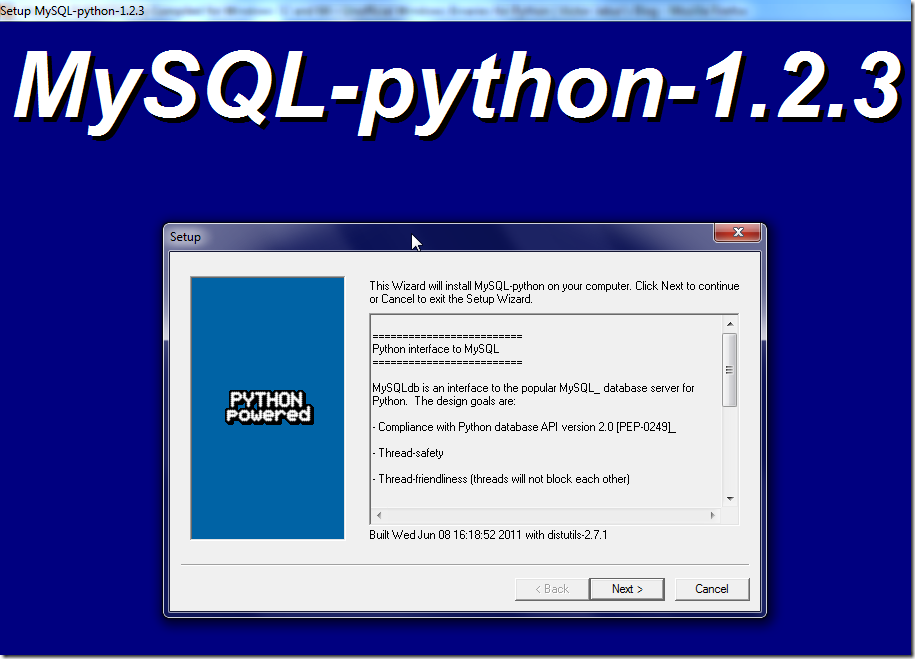
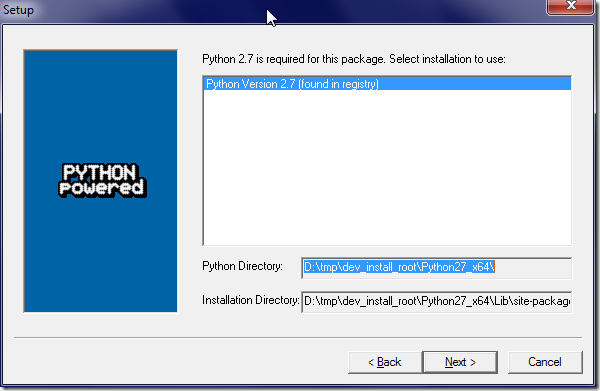
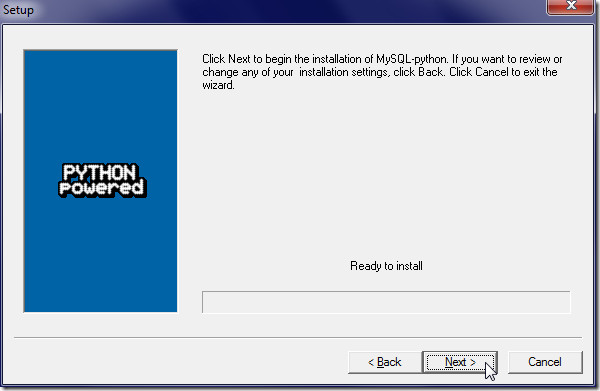
然后去安装:

mysql python 1.2.3 x64 main ui_thumb

found python 2.7 install path_thumb

next to install python 2.7 mysql_thumb

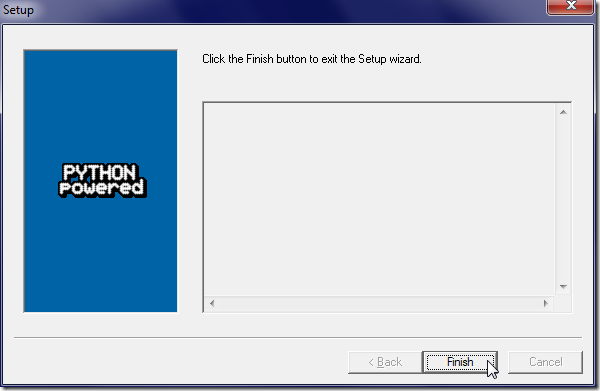
done to finish install mysql for python 2.7 version_thumb

然后就可以写代码去测试是否工作了。

在Python中使用MySQLdb操作MySQL数据库

参考:

python操作MySQL数据库

然后用:

#!/usr/bin/python
# -*- coding: utf-8 -*-
"""
-------------------------------------------------------------------------------
Function:
【记录】为Python安装MySQL数据库模块:MySQLdb
Autor: Crifan Li Date: 2013-04-22 ------------------------------------------------------------------------------- """ #---------------------------------import--------------------------------------- import MySQLdb def python_mysql_test(): """ try to use mysql in python """ try: conn=MySQLdb.connect(host='localhost',user='root',passwd='xxx',db='wordpress',port=3306) print "conn=",conn; cur=conn.cursor() print "cur=",cur; cur.execute('select * from wp_users') cur.close() conn.close() except MySQLdb.Error,e: print "Mysql Error %d: %s" % (e.args[0], e.args[1]) ############################################################################### if __name__=="__main__": python_mysql_test();

可以显示连接成功了:

D:\tmp\tmp_dev_root\python\tutorial_summary\python_mysql_test>python_mysql_test.py

conn= <_mysql.connection open to ‘localhost’ at 2a46ad8>

cur= <MySQLdb.cursors.Cursor object at 0x0000000002A54C50>

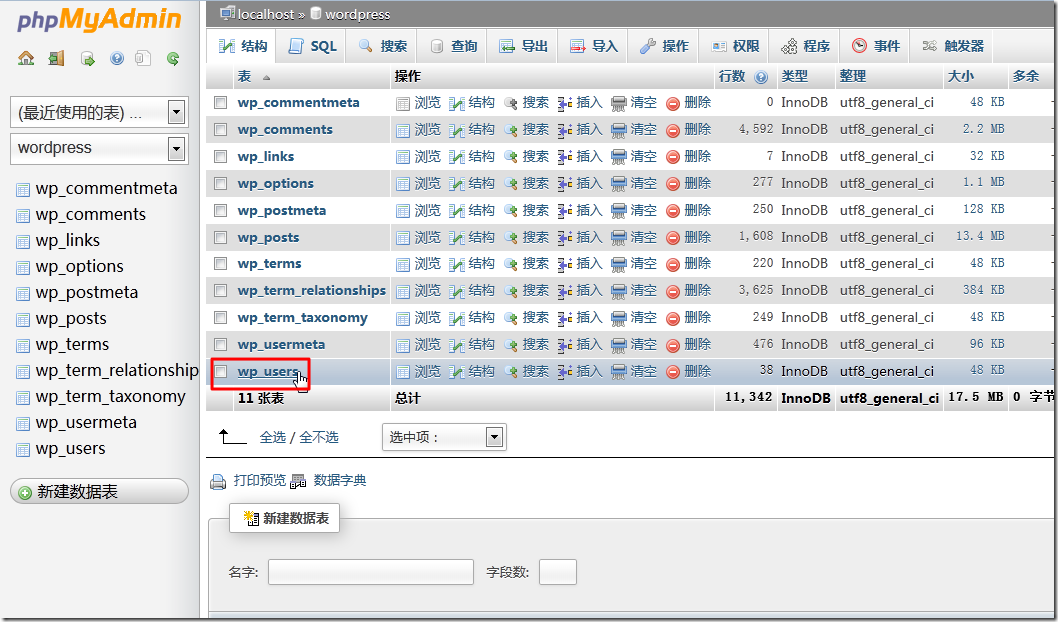
对应的wordpress的数据库是:

has exist wp_users in wordpress db_thumb

9.再去折腾新建数据项试试:

#!/usr/bin/python
# -*- coding: utf-8 -*-
"""
-------------------------------------------------------------------------------
Function:
【记录】为Python安装MySQL数据库模块:MySQLdb
Autor: Crifan Li Date: 2013-04-22 ------------------------------------------------------------------------------- """ #---------------------------------import--------------------------------------- import MySQLdb def python_mysql_test(): """ try to use mysql in python """ try: conn=MySQLdb.connect(host='localhost',user='root',passwd='xxx',db='test',port=3306, charset='utf8') print "conn=",conn; cur=conn.cursor() print "cur=",cur; createdDb = cur.execute('create database if not exists pythonMysql') print "createdDb=",createdDb; selectedDb = conn.select_db('pythonMysql') print "selectedDb=",selectedDb; createdTable = cur.execute('create table test(id int,info varchar(20))') print "createdTable=",createdTable; value=[1,'hi rollen'] insertedValue = cur.execute('insert into test values(%s,%s)',value) print "insertedValue=",insertedValue; values=[] for i in range(20): values.append((i,'hi rollen'+str(i))) insertedValues = cur.executemany('insert into test values(%s,%s)',values) print "insertedValues=",insertedValues; updatedInfo = cur.execute('update test set info="I am rollen" where id=3') print "updatedInfo=",updatedInfo; committed = conn.commit() print "committed=",committed; closedCur = cur.close() print "closedCur=",closedCur; closedConn = conn.close() print "closedConn=",closedConn; except MySQLdb.Error,e: print "Mysql Error %d: %s" % (e.args[0], e.args[1]) ############################################################################### if __name__=="__main__": python_mysql_test();

结果如下:

D:\tmp\tmp_dev_root\python\tutorial_summary\python_mysql_test>python_mysql_test.py

conn= <_mysql.connection open to ‘localhost’ at 2a46ad8>

cur= <MySQLdb.cursors.Cursor object at 0x0000000002A54C50>

D:\tmp\tmp_dev_root\python\tutorial_summary\python_mysql_test>python_mysql_test.py

conn= <_mysql.connection open to ‘localhost’ at 2be06a8>

cur= <MySQLdb.cursors.Cursor object at 0x00000000028B7BE0>

createdDb= 1

selectedDb= None

createdTable= 0

insertedValue= 1

insertedValues= 20

updatedInfo= 1

committed= None

closedCur= None

closedConn= None

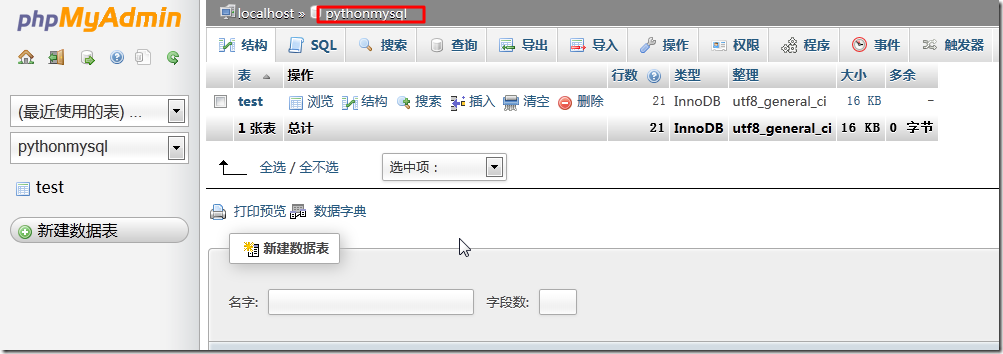
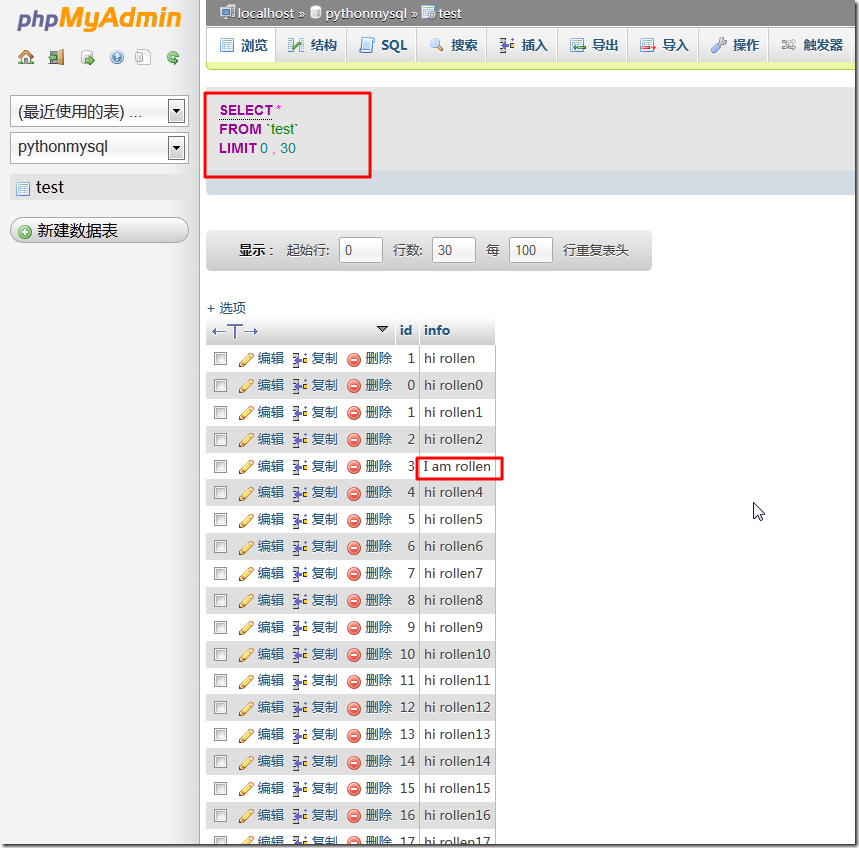
数据库中去看看结果:

newly created pythonmysql db_thumb

can show all db test data include updated one_thumb

都是可以正常工作的。

至此,简单的操作,到此结束。

以后就是针对要操作的数据,如何导入数据库,如何操作数据库了。


【总结】

安装好PythonMQL后,参考了别人的示例代码,

剩下的,就是以后遇到要保存的数据,去保存操作数据库的事情了。

需要后续好好学习mysql如何操作的。

转载请注明:在路上 » 【记录】为Python安装MySQL数据库模块:MySQLdb

84 queries in 0.164 seconds, using 19.32MB memory