折腾:
【未解决】给crifan的所有gitbook的网页中加上自动广告
期间,调试后,代码:
require(["gitbook"], function(gitbook) {
    // plugin config
    var config;


    function createAdElement(adConfig) {
        adElement = document.createElement('ins');
        adElement.style = 'display: block';
        adElement.className = 'adsbygoogle';
        adElement.setAttribute('data-ad-client', adConfig.client);
        adElement.setAttribute('data-ad-slot', adConfig.slot);
        adElement.setAttribute('data-ad-layout', adConfig.layout); // newly add for 'in-article'
        adConfig.format && adElement.setAttribute('data-ad-format', adConfig.format);
        adConfig.style && adElement.setAttribute('style', adConfig.style);
        // adElement.setAttribute('data-full-width-responsive', "true");


        console.log("adElement=%o", adElement);
        return adElement;
    }


    gitbook.events.bind("start", function(e, pluginConfig) {
        // console.log("=================== google-adsense start: pluginConfig=%s", pluginConfig);


        // init script
        var adScript = document.createElement('script');
        // adScript.src = '//pagead2.googlesyndication.com/pagead/js/adsbygoogle.js';
        adScript.src = 'https://pagead2.googlesyndication.com/pagead/js/adsbygoogle.js';
        adScript.setAttribute('async', true);
        console.log("adScript=%o", adScript);
        // document.body.appendChild(adScript);
        document.head.appendChild(adScript);


        configs = pluginConfig['google-adsense'].ads;
        console.log("configs=%o", configs);


        if(configs && configs.length > 0) {
            configs.forEach(function(c) {
                document.head.appendChild(createAdElement(c));
                (adsbygoogle = window.adsbygoogle || []).push({});
            });
        }
    });
});
console中能看到输出了:
22:09:24.834 plugin.js:42 adScript=<script src="https://pagead2.googlesyndication.com/pagead/js/adsbygoogle.js" async="true"></script>
22:09:24.835 plugin.js:47 configs=[{…}]0: client: "ca-pub-6626240105039250"format: "fluid"layout: "in-article"slot: "5559441101"style: "display:block; text-align:center;"__proto__: Objectlength: 1__proto__: Array(0)
22:09:24.836 plugin.js:16 adElement=<ins class="adsbygoogle" data-ad-client="ca-pub-6626240105039250" data-ad-slot="5559441101" data-ad-layout="in-article" data-ad-format="fluid" style="display:block; text-align:center;"></ins>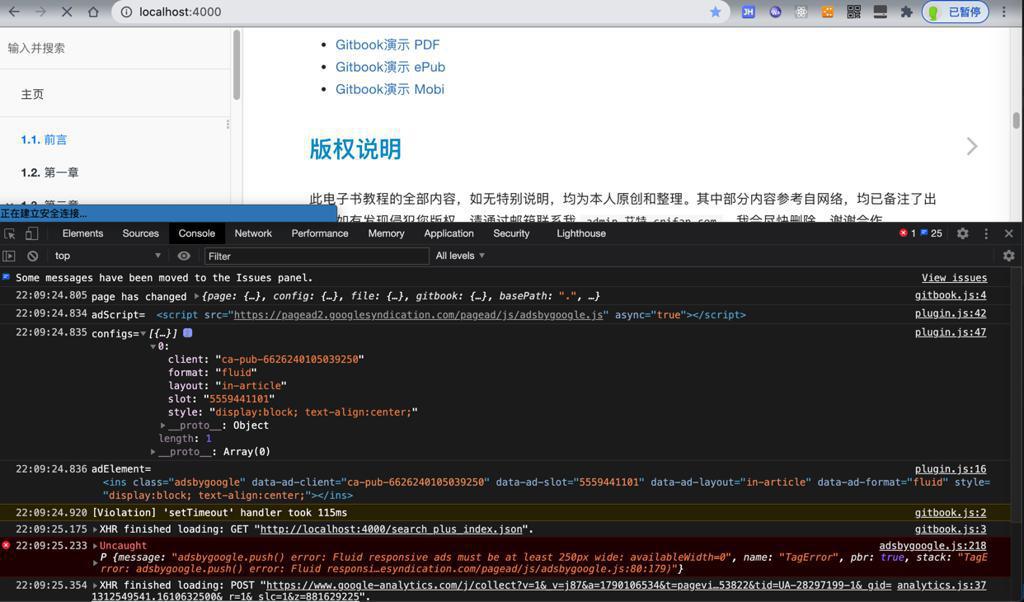
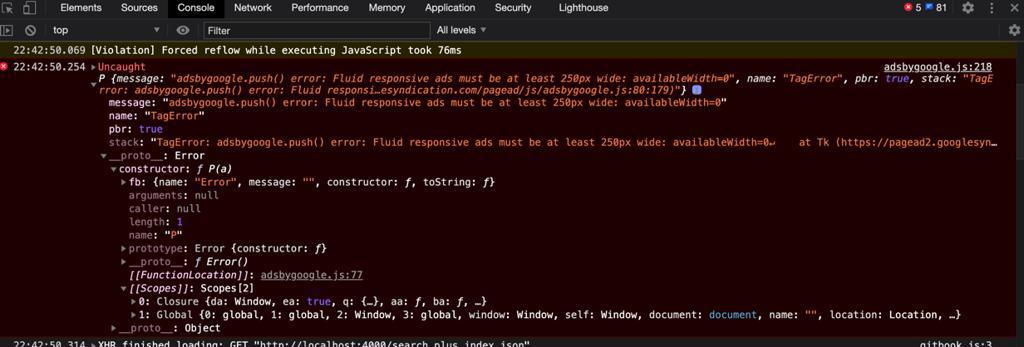
adsbygoogle.js 218 Uncaught P message adsbygoogle.push() error Fluid responsive ads must be at least 250px wide
error: Fluid responsive ads must be at least 250px wide: availableWidth=0″ | WordPress.org
error: Fluid responsive ads must be at least 250px wide: availableWidth=0″ | WordPress.org
adsbygoogle.js Uncaught adsbygoogle.push() error Fluid responsive ads
window.onload = function() {
    (adsbygoogle = window.adsbygoogle || []).push({});
}
不知道是否有效?
$(document).ready(function(){(adsbygoogle = window.adsbygoogle || []).push({})})好像更有效
adsense – TagError: adsbygoogle.push() error: No slot size for availableWidth=0 when i use responsive ads – Stack Overflow
改为:
                document.head.appendChild(createAdElement(c));
                // (adsbygoogle = window.adsbygoogle || []).push({});
            });
        }
    });


    window.addEventListener( 'load', function(e) {
        console.log("=================== window.addEventListener load");
        (adsbygoogle = window.adsbygoogle || []).push({});
    });
试试
至少启动时,没报错了
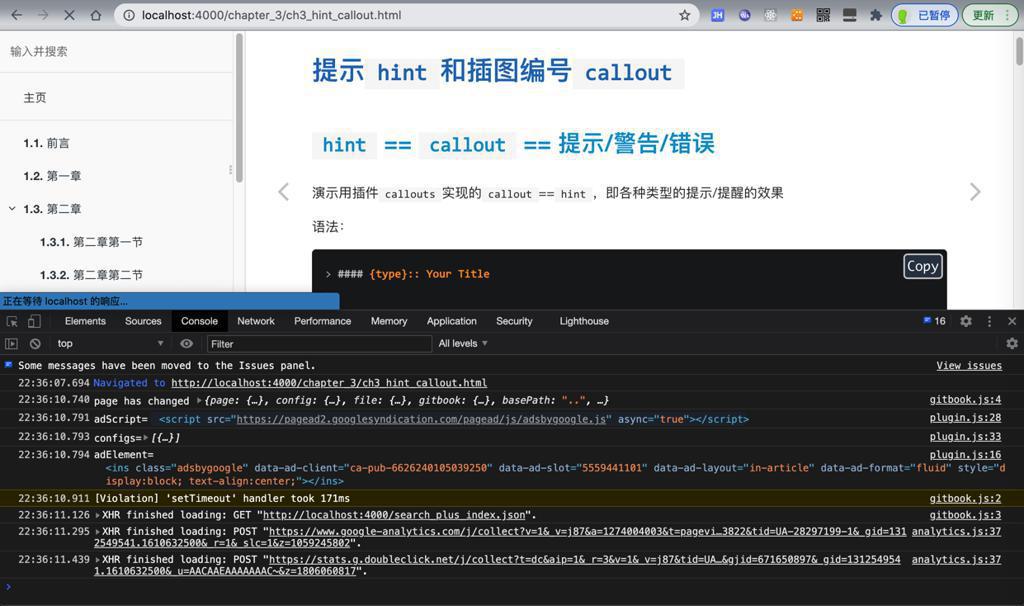
过了,错误依旧:
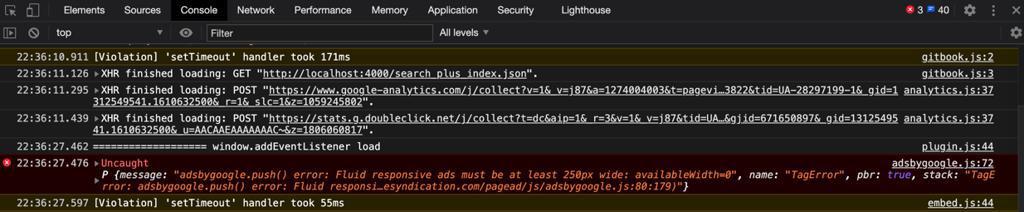
    // window.addEventListener( 'load', function(e) {
    window.addEventListener( 'ready', function(e) {
        console.log("=================== window.addEventListener ready");
        (adsbygoogle = window.adsbygoogle || []).push({});
    });
结果:
没报错
但是好像也没log输出,感觉没生效
window.addEventListener ready
document.addEventListener("DOMContentLoaded", function(event) {
  //do work
});
去试试
    document.addEventListener("DOMContentLoaded", function(event) {
        console.log("=================== document.addEventListener DOMContentLoaded");
        (adsbygoogle = window.adsbygoogle || []).push({});
    });
结果:
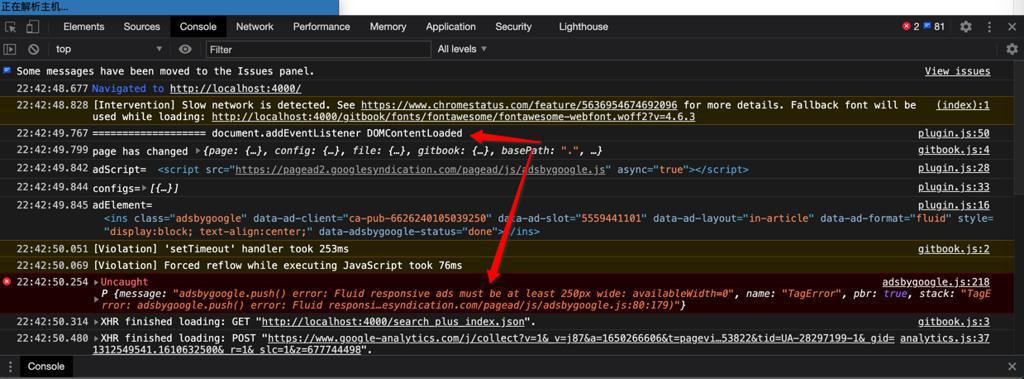
是ready了,但是还是报错
或许是:代码ready或load,都没问题了
或许真的是width宽度问题?
adsbygoogle.js Fluid responsive ads must be at least 250px wide availableWidth 0
The solution is to either place smaller ads of the Display ads ad type in AdSense or to widen your layout.
看了细节,还是不知道,具体此ad广告,是挂在哪里的?
TODO:
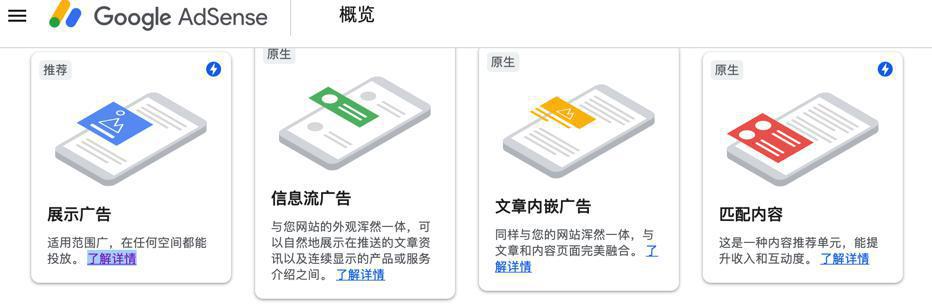
也可能是:自动广告 类型搞错了?
或者是:
应该放在 body中?
后续:
感觉好像弄错了,此处是 文章内嵌广告
不是 自动广告
说明:文章内嵌广告,是需要挂载html中的某个位置的,否则当然会报错 width=0了
然后重新去创建 自动广告:
【已解决】Google Adsense中给crifan的gitbook创建自动广告
估计就无需指定挂载位置,无需操心了。
【总结】
之前创建的是:文章内嵌广告
-》所以生成的代码
<script async src="https://pagead2.googlesyndication.com/pagead/js/adsbygoogle.js"></script>
<ins class="adsbygoogle"
     style="display:block; text-align:center;"
     data-ad-layout="in-article"
     data-ad-format="fluid"
     data-ad-client="ca-pub-6626240105039250"
     data-ad-slot="5559441101"></ins>
<script>
     (adsbygoogle = window.adsbygoogle || []).push({});
</script>
中是:
文章内嵌 所对应的 layout=in-article
而另外的format格式,此处设置了fluid
也因此,把上述广告代码(此处通过Gitbook的插件gitbook-plugin-google-adsense的book/plugin.js)加到html的head后,才会报错:
adsbygoogle.js 218 Uncaught P message adsbygoogle.push() error Fluid responsive ads must be at least 250px wide
意思是:
此处的格式是Fluid的google Adsense的广告,需要容易宽度是250px
其错误根本原因在于:
此处的格式是Fluid的 文章内嵌广告 也只是普通的广告的其中一种,是需要挂载到 加到html中的某个节点,某个位置上的,而加到的容器,才有宽度,才能正常显示
而之前自己误以为,此 普通的 文章内嵌广告 是 自动广告,无需指定广告挂载位置,所以才会 加到 html的head中,没有指定挂载位置,所以才报此错的。
知道原因了,解决办法就很简单了:
把 普通的 文章内嵌广告 换成 自己希望的 自动广告,即可规避,不会在出现上述这种错误。
具体详见:
【已解决】Google Adsense中给crifan的gitbook创建自动广告
和:
【未解决】给crifan的所有gitbook的网页中加上自动广告
转载请注明:在路上 » 【已解决】给Gitbook加Google Adsense自动广告后报错: adsbygoogle.js Fluid responsive ads must be at least 250px wide availableWidth 0