折腾:
期间,用jquery的ajax代码去调用服务器接口:
      var qaUrl = "http://xxx:32851/qa";
      console.log("qaUrl=%s", qaUrl);
      var fullQaUrl = qaUrl + "?input=" + encodedInputRequest
      console.log("fullQaUrl=%s", fullQaUrl);

$.ajax({
   type : "GET",
   url : fullQaUrl,
结果出错:
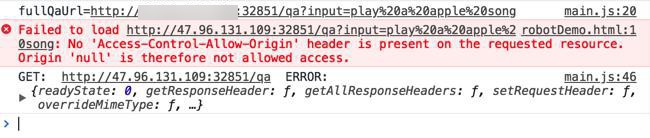
Failed to load http://xxx:32851/qa?input=play%20a%20apple%20song: No 'Access-Control-Allow-Origin' header is present on the requested resource. Origin 'null' is therefore not allowed access.
注:
此处是在Chrome中测试的,已经启动了Chrome的CORS插件了:
jquery ajax No Access-Control-Allow-Origin header is present on the requested resource
用jsonp不好:
“JSONP方法是一种非官方方法,而且这种方法只支持GET方式,不如POST方式安全。
即使使用jquery的jsonp方法,type设为POST,也会自动变为GET。”
好像需要服务器端去处理?
但是别处:
PyCharm中的REST 工具
Postman
为何可以get?
No Access-Control-Allow-Origin header is present on the requested resource
试试get
jquery get
$.get(fullQaUrl, function(respJsonStr){
    console.log("respJsonStr=%s", respJsonStr);
}, 'json');
问题依旧。
$.ajax({
   type : "GET",
   url : fullQaUrl,
    headers: {
       'Access-Control-Allow-Origin': 'http://xxx'
    },
问题依旧。
还是不想用:jsonp
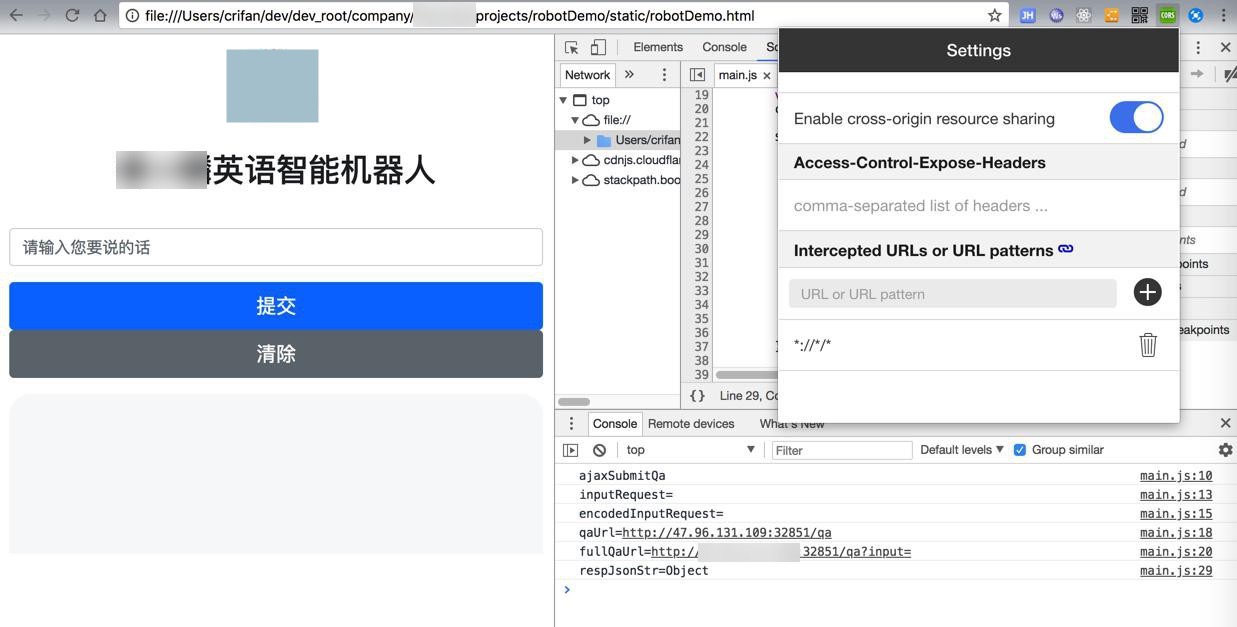
试了几次,最后发现:
对于之前Chrome安装的插件CORS来说,开启/关闭,多试几次,最后确保开启的状态下,结果就可以正常调用接口,返回数据了:
【总结】
此处,就是正常的使用jquery的ajax去get服务器的api接口:
$.ajax({
   type : "GET",
   url : fullQaUrl,
   success: function(respJsonStr){
        console.log("respJsonStr=%o", respJsonStr);

        $('#output').empty();
   },
   error : function(err) {
      $("#output").html("<strong>Error</strong>");
      console.log("GET: ", qaUrl, " ERROR: ", err);
   }
});
在之前就已经给Chrome安装了CORS插件的前提下,多试几次,关闭/开启,该插件:
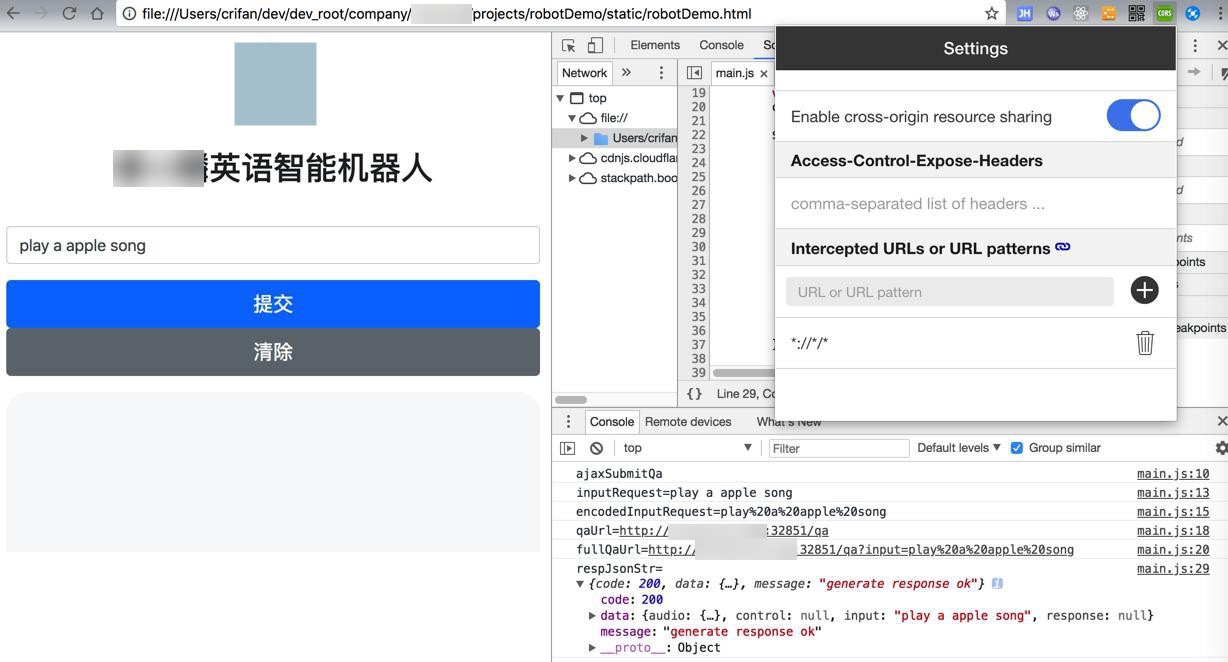
最后就可以正常的访问api接口,返回数据了。
转载请注明:在路上 » 【已解决】js中ajax接口get接口出错:No Access-Control-Allow-Origin header is present on the requested resource