折腾:
【已解决】绘本查询小程序的iPhoneX中超长的tag高度和间距异常
期间,此处问题基本上得到解决:
列表页中tag,可以根据media query判断出iPhone X(模拟器和真机)时,使用特殊的样式:
/* follow heigh=812px only work for real phone: iPhone X */
@media screen and (device-width: 375px) and (device-height: 812px) and (-webkit-device-pixel-ratio: 3) {
  .tag_normal{
    max-width:220px;
  }
}

/* follow heigh=724px only work for weixin iPhone X emulator */
@media screen and (device-width: 375px) and (device-height: 724px) and (-webkit-device-pixel-ratio: 3) {
  .tag_normal{
    max-width:220px;
  }
}
从而使得长tag时,不换行,解决了之前长tag换行高度异常的布局问题
但是现在还有一个问题:
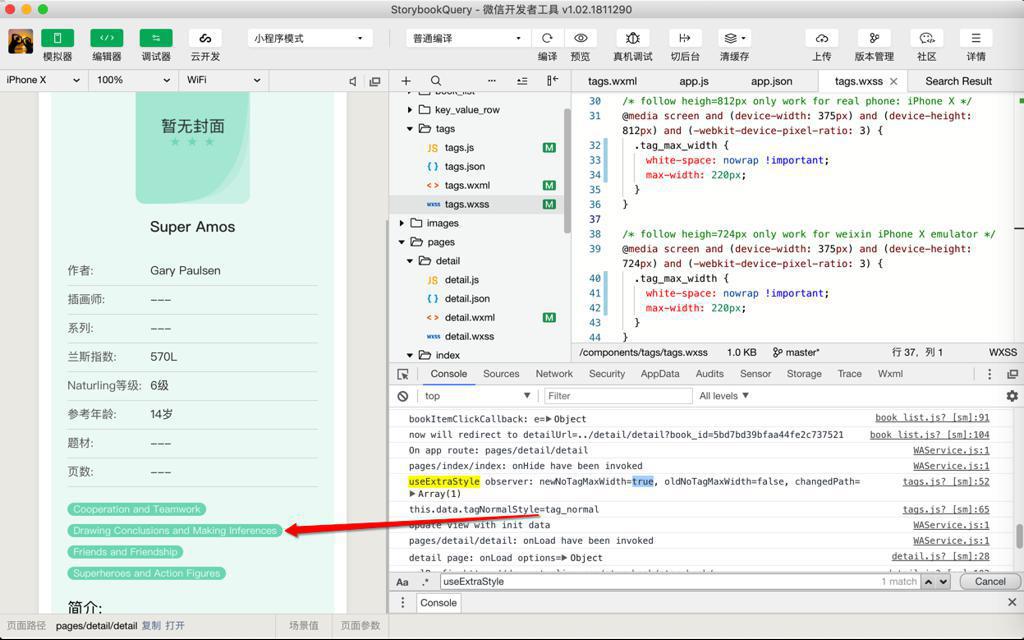
详情页中的上面的tags,显示的宽度被限制了:
现在要去解决:
如何传递参数给tags这个组件
确保:
正常时候,主页列表和详情页列表中,对于iPhone X都是特殊处理的,
但是详情页中传递特殊bool参数,表示不特殊处理
对于小程序中组件参数传递来说:
想要传递Boolean的话:
“properties: {
myProperty: { // 属性名
type: String, // 类型(必填),目前接受的类型包括:String, Number, Boolean, Object, Array, null(表示任意类型)”
经过研究:
对于组件的定义:
  properties: {
...
    noTagMaxWidth: {
      type: Boolean,
      value: false,
      observer: function (newNoTagMaxWidth, oldNoTagMaxWidth, changedPath) {
        console.log("useExtraStyle observer: newNoTagMaxWidth=%s, oldNoTagMaxWidth=%s, changedPath=%o",
          newNoTagMaxWidth, oldNoTagMaxWidth, changedPath)

        if (newNoTagMaxWidth) {
          this.setData({
            tagNormalStyle: "tag_normal",
          })
        } else {
          this.setData({
            tagNormalStyle: "tag_normal tag_max_width",
          })
        }

        console.log("this.data.tagNormalStyle=%s", this.data.tagNormalStyle)
      }
    }
  },

  /**
   * 组件的初始数据
   */
  data: {
    highlightTagList: [],
    normalTagList: [],
    tagNormalStyle: "tag_normal tag_max_width"
  },
调用的话:
        <tags
          input-tag-list="{{curBookInfo.tags}}"
          book-difficulty="{{curBookInfo.grading.difficulty}}"
          no-tag-max-width="false"
          no-tag-max-width="False"
          no-tag-max-width=false
        />
都是不对的
期间搜了:
js boolean
JavaScript Boolean(布尔)对象 | 菜鸟教程
期间突然想到:
之前折腾React(和html+js)时,好像Boolean参数,只是是否传递影响True或False?
去试了试,果然是:
要写成:
        <tags
          input-tag-list="{{curBookInfo.tags}}"
          book-difficulty="{{curBookInfo.grading.difficulty}}"
          no-tag-max-width
        />
或:
        <tags
          input-tag-list="{{curBookInfo.tags}}"
          book-difficulty="{{curBookInfo.grading.difficulty}}"
        />
即:
是否传递参数no-tag-max-width本身,表示该参数是True还是False
而出现了该参数的话,参数后面的值,对于Boolean来说,就忽略掉了,都表示true
【总结】
经过一番调试后,最终用:
组件tags中定义了变量noTagMaxWidth:
components/tags/tags.js
// components/tags/tags.js
const app = getApp() //获取应用实例
const util = require('../../utils/util.js')
const book_common = require('../../utils/book_common.js')

Component({

  /**
   * 组件的属性列表
   */
  properties: {
    ...
    noTagMaxWidth: {
      type: Boolean,
      value: false,
      observer: function (newNoTagMaxWidth, oldNoTagMaxWidth, changedPath) {
        console.log("useExtraStyle observer: newNoTagMaxWidth=%s, oldNoTagMaxWidth=%s, changedPath=%o",
          newNoTagMaxWidth, oldNoTagMaxWidth, changedPath)

        if (newNoTagMaxWidth) {
          this.setData({
            tagNormalStyle: "tag_normal",
          })
        } else {
          this.setData({
            tagNormalStyle: "tag_normal tag_max_width",
          })
        }

        console.log("this.data.tagNormalStyle=%s", this.data.tagNormalStyle)
      }
    }
  },

  /**
   * 组件的初始数据
   */
  data: {
    highlightTagList: [],
    normalTagList: [],
    tagNormalStyle: "tag_normal tag_max_width"
  },
...
})
在其他普通的调用
- 主页页的搜索结果列表
- 详情页推荐列表
中,没有传递Boolean参数:no-tag-max-width
components/book_list/book_list.wxml
        <tags
          input-tag-list="{{curBookItem.tags}}"
          book-difficulty="{{curBookItem.grading.difficulty}}"
          highlight-tag="{{highlightTag}}"
        />
则都是正常的效果:
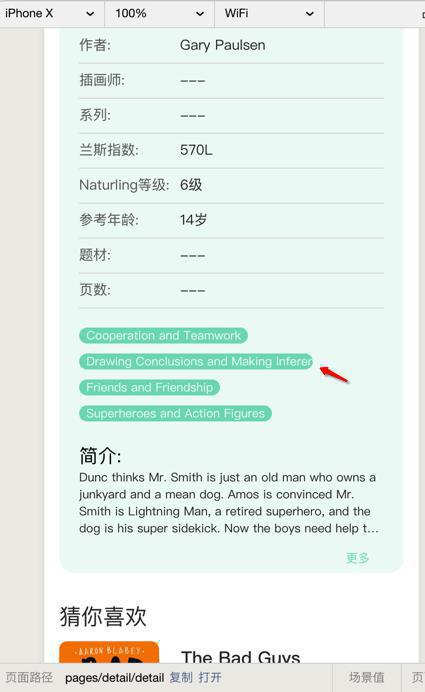
当iPhone X时,长tag时,带最大宽度,所以截断不换行:

而对于详情页的信息中的tags,传递了参数:no-tag-max-width
pages/detail/detail.wxml
      <view class='detail_item_tags'>
        <tags
          input-tag-list="{{curBookInfo.tags}}"
          book-difficulty="{{curBookInfo.grading.difficulty}}"
          no-tag-max-width
        />
      </view>
则就可以通过js中的noTagMaxWidth的observer去设置为:
tag_normal
而不带:tag_max_width
-》从而在详情页宽度足够的情况下,不会被由于最大宽度而截断,而可以显示完整了: