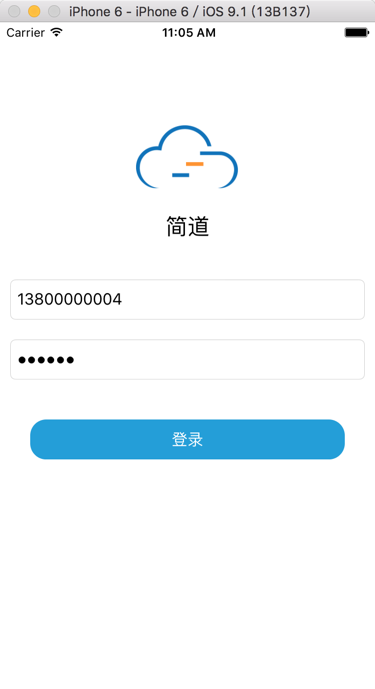
swift中,textField中:
       //3. username/phone number textFiled
        let textFieldPaddingX:CGFloat = 10
        let textFieldPaddingY:CGFloat = 20
        let textFieldHeight:CGFloat = 40
        usernameTextField.frame = CGRectMake(
            textFieldPaddingX,
            appNameLabel.frame.origin.y + appNameLabel.frame.height + 40,//self.view.bounds.height*0.4,
            self.view.bounds.width - (textFieldPaddingX * 2),
            textFieldHeight)
        usernameTextField.textAlignment = NSTextAlignment.Left
        usernameTextField.font = UIFont.systemFontOfSize(16)
        usernameTextField.borderStyle = UITextBorderStyle.RoundedRect
        usernameTextField.placeholder = "请输入用户名(手机号)"
        usernameTextField.autocorrectionType = UITextAutocorrectionType.No
        usernameTextField.keyboardType = UIKeyboardType.Default
        usernameTextField.returnKeyType = UIReturnKeyType.Done
        usernameTextField.clearButtonMode = UITextFieldViewMode.WhileEditing
        usernameTextField.contentVerticalAlignment = UIControlContentVerticalAlignment.Center

        //4. password textFiled
        passwordTextField.frame = CGRectMake(
            usernameTextField.frame.origin.x,
            usernameTextField.frame.origin.y + usernameTextField.frame.height + textFieldPaddingY,
            usernameTextField.frame.width,
            usernameTextField.frame.height)
        passwordTextField.textAlignment = NSTextAlignment.Left
        passwordTextField.font = UIFont.systemFontOfSize(16)
        passwordTextField.borderStyle = UITextBorderStyle.RoundedRect
        passwordTextField.placeholder = "请输入密码"
        passwordTextField.secureTextEntry = true
        passwordTextField.autocorrectionType = UITextAutocorrectionType.No
        passwordTextField.keyboardType = UIKeyboardType.Default
        passwordTextField.returnKeyType = UIReturnKeyType.Done
        passwordTextField.clearButtonMode = UITextFieldViewMode.WhileEditing
        passwordTextField.contentVerticalAlignment = UIControlContentVerticalAlignment.Center
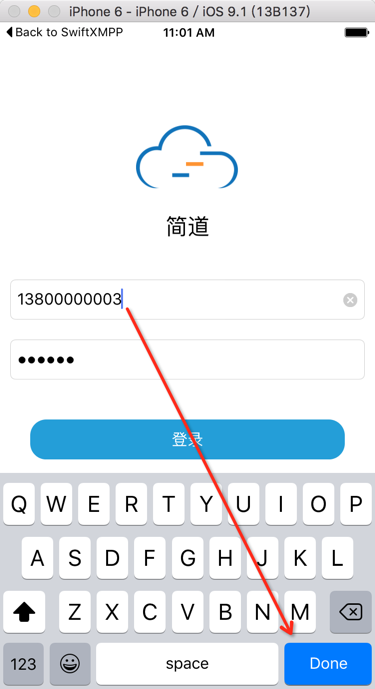
键盘可以出现,但是点击完成后,键盘不能消失:
搜:
swift keyboard show and dismiss
参考:
用代码:
class LoginViewController: UIViewController, UITextFieldDelegate {

        //3. username/phone number textFiled
。。。
        usernameTextField.delegate = self

        //4. password textFiled
。。。
        passwordTextField.delegate = self

    /***************************************************************************
     * UITextFieldDelegate Functions
     ***************************************************************************/

    //called when 'return' key pressed. return NO to ignore.
    func textFieldShouldReturn(textField: UITextField) -> Bool
    {
        textField.resignFirstResponder()
        return true;
    }
点击Done后,键盘就可以消失了: