用代码:
     //3. username/phone number textFiled
        let textFieldPaddingX:CGFloat = 10
        let textFieldPaddingY:CGFloat = 20
        let textFieldHeight:CGFloat = 40
        usernameTextField.frame = CGRectMake(
            textFieldPaddingX,
            appNameLabel.frame.origin.y + appNameLabel.frame.height + 40,//self.view.bounds.height*0.4,
            self.view.bounds.width - (textFieldPaddingX * 2),
            textFieldHeight)
        usernameTextField.textAlignment = NSTextAlignment.Left
        usernameTextField.font = UIFont.systemFontOfSize(16)
        usernameTextField.borderStyle = UITextBorderStyle.RoundedRect
//        usernameTextField.layer.borderWidth = 1
//        usernameTextField.layer.cornerRadius = 4
//        usernameTextField.layer.borderColor = UIColor.lightGrayColor().CGColor
        usernameTextField.placeholder = "请输入用户名(手机号)"

        //4. password textFiled
        passwordTextField.frame = CGRectMake(
            usernameTextField.frame.origin.x,
            usernameTextField.frame.origin.y + usernameTextField.frame.height + textFieldPaddingY,
            usernameTextField.frame.width,
            usernameTextField.frame.height)
        passwordTextField.textAlignment = NSTextAlignment.Left
        passwordTextField.font = UIFont.systemFontOfSize(16)
        passwordTextField.borderStyle = UITextBorderStyle.RoundedRect
        passwordTextField.placeholder = "请输入密码"
        passwordTextField.secureTextEntry = true
已经实现了:
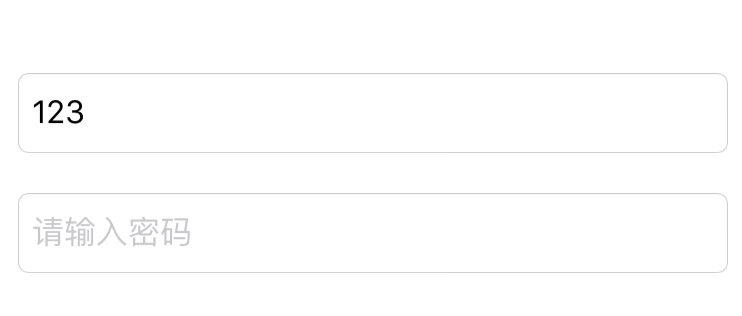 但是没有输入法出现,需要添加输入法。
参考:
用代码:
       //3. username/phone number textFiled
        let textFieldPaddingX:CGFloat = 10
        let textFieldPaddingY:CGFloat = 20
        let textFieldHeight:CGFloat = 40
        usernameTextField.frame = CGRectMake(
            textFieldPaddingX,
            appNameLabel.frame.origin.y + appNameLabel.frame.height + 40,//self.view.bounds.height*0.4,
            self.view.bounds.width - (textFieldPaddingX * 2),
            textFieldHeight)
        usernameTextField.textAlignment = NSTextAlignment.Left
        usernameTextField.font = UIFont.systemFontOfSize(16)
        usernameTextField.borderStyle = UITextBorderStyle.RoundedRect
        usernameTextField.placeholder = "请输入用户名(手机号)"
        usernameTextField.autocorrectionType = UITextAutocorrectionType.No
        usernameTextField.keyboardType = UIKeyboardType.Default
        usernameTextField.returnKeyType = UIReturnKeyType.Done
        usernameTextField.clearButtonMode = UITextFieldViewMode.WhileEditing
        usernameTextField.contentVerticalAlignment = UIControlContentVerticalAlignment.Center
但是点击进入后,没有出现键盘。
搜:
swift UITextField add keyboard
swift uitextfield keyboard not showing
参考:
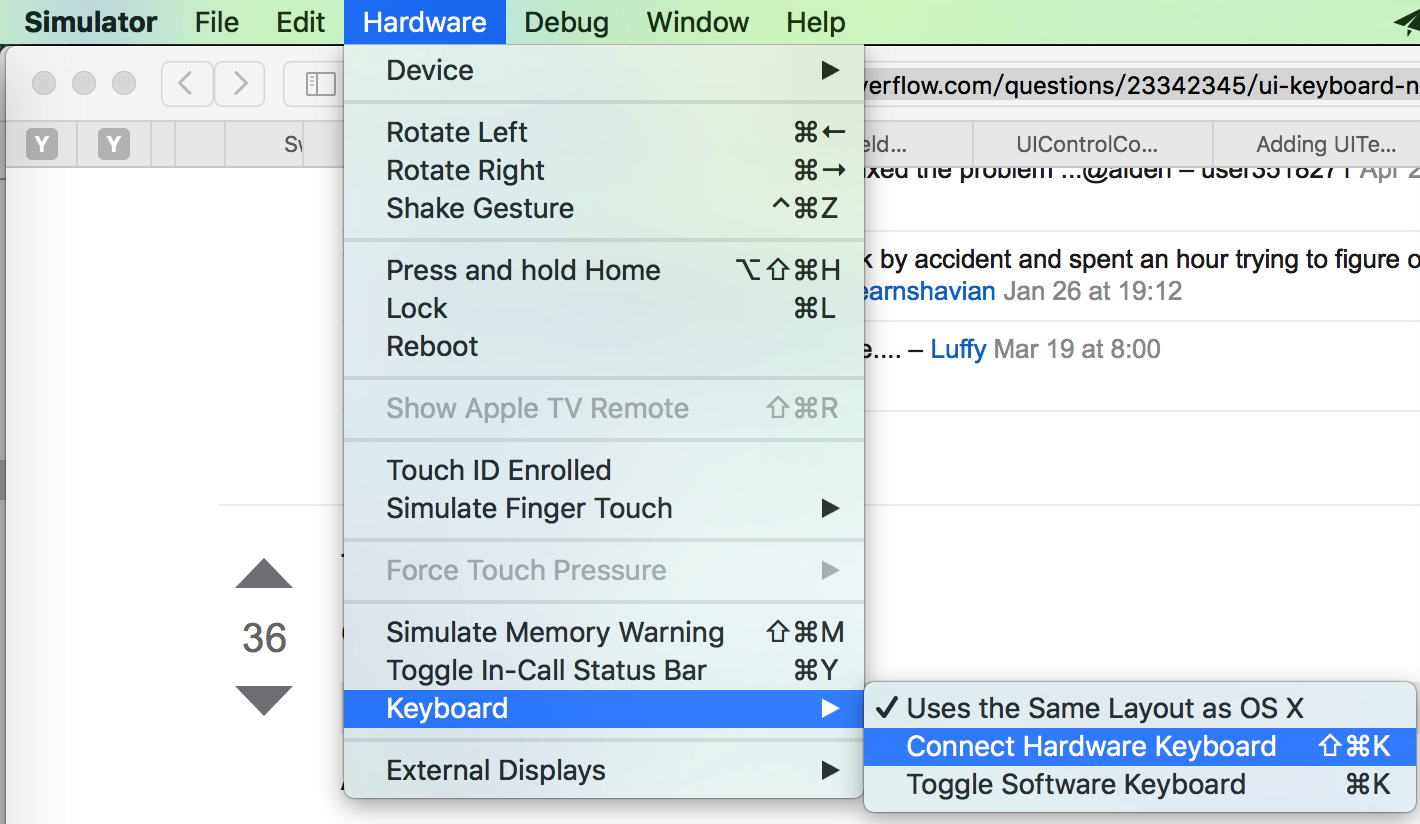
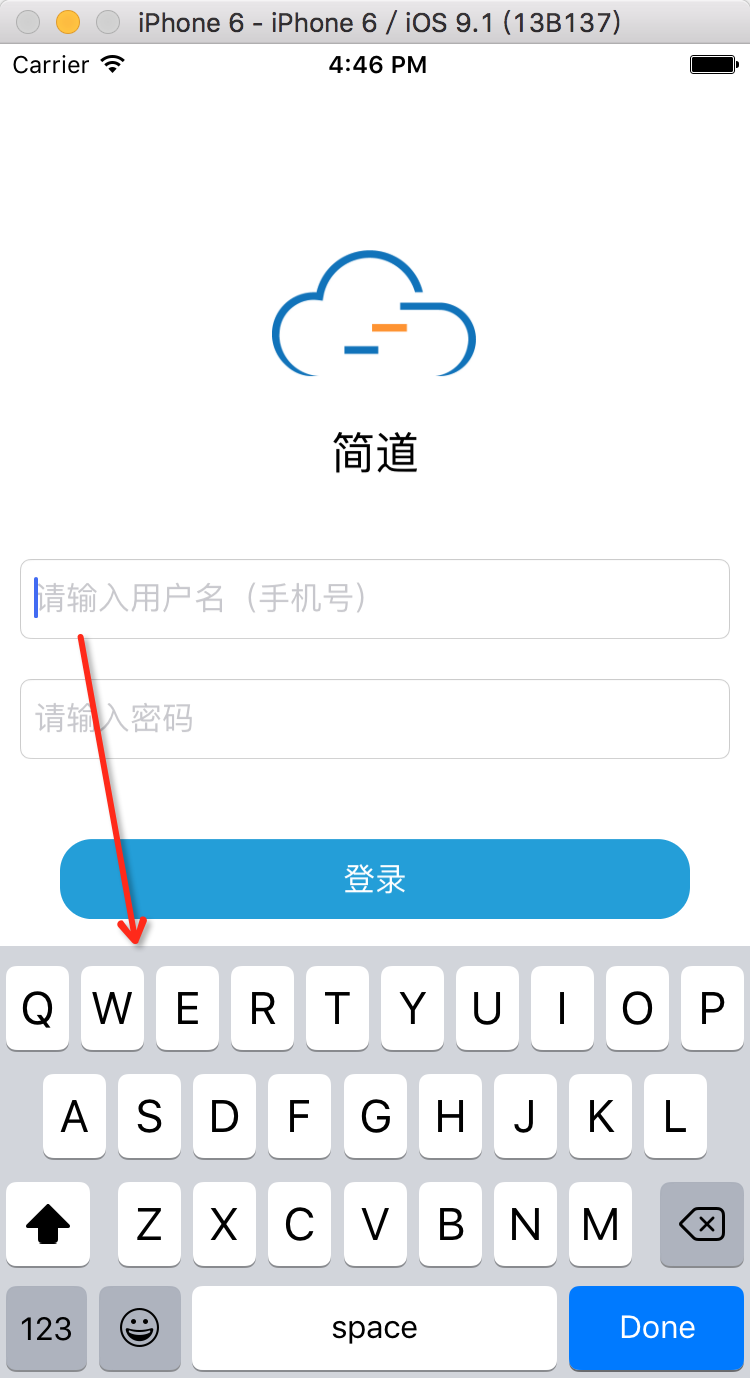
果然就解决问题,点击UITextField后出现了键盘:
[总结]
iOS模拟器中,点击文本输入框时,键盘没有显示,是因为:
默认选中了:
iOS 模拟器-》Hardware-》Keyboard-》Connect Hardware Keyboard
使得,此时物理上的电脑键盘起效果,可以输入文字到文本框中
但是iOS 模拟器模拟器出来的iPhone内部不显示键盘了
解决办法是:
取消选择:
iOS 模拟器-》Hardware-》Keyboard-》Connect Hardware Keyboard
这样就可以正常显示出(软)键盘了
转载请注明:在路上 » [已解决]swift给UITextField添加输入法显示出键盘