折腾:
【已解决】CentOS服务器中搭建Python的Flask的REST API
期间,需要接着去开发Flask,实现一个基本的,标准的,rest api
输入:一段字符串,问题
输出:一个json格式的响应,包括一个答案的字符串和可能有的音频文件地址的字符串
总体上是:
Request
GET: /qa
q=play a Christmas song
Response
{
“code”: 200,
“message”: “generate answer ok”,
“data”: {
“answer”: “Following will play the Christmas song: Jingle Bells …”,
“audio” : {
“contentType” : “audio/mpeg”,
“name”: “Jingle Bells.mp3”,
“url” : “http://1.2.3.4/a/b/c.mp3”
}
}
}
现在先去要返回json格式的字符串
flask return json
去试试最后的force_type
<code>from flask import Flask
from flask import Response, jsonify


class AutoJsonifyResponse(Response):
    @classmethod
    def force_type(cls, response, environ=None):
        if isinstance(response, (list, dict)):
            response = jsonify(response)
        return super(Response, cls).force_type(response, environ)


app = Flask(__name__)
app.response_class = AutoJsonifyResponse


@app.route("/qa")
def answerQuestion():
    respDict = {
        "code": 200,
        "message": "generate answer ok",
        "data": {
            "answer": "Following will play the Chrismas song: Jingle Bells ...",
            "audio": {
                "contentType": "audio/mpeg",
                "name": "Jingle Bells.mp3",
                "url": "http://1.2.3.4/a/b/c.mp3"
            }
        }
    }

    return respDict


if __name__ == "__main__":
    app.debug = True
    app.run()
</code>
效果:
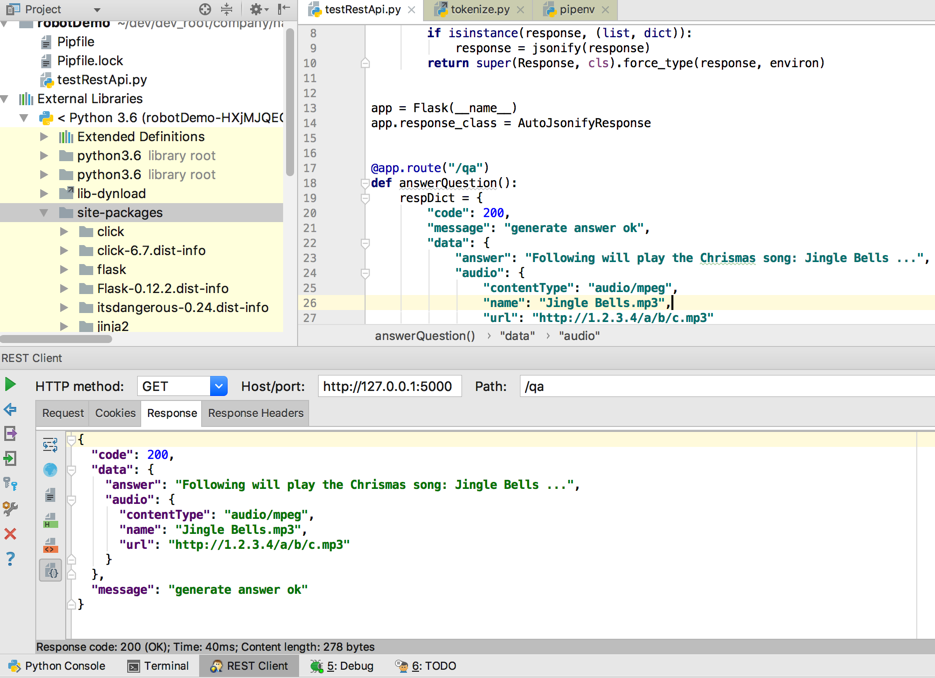
但是此处发现没有返回content-type:application/json
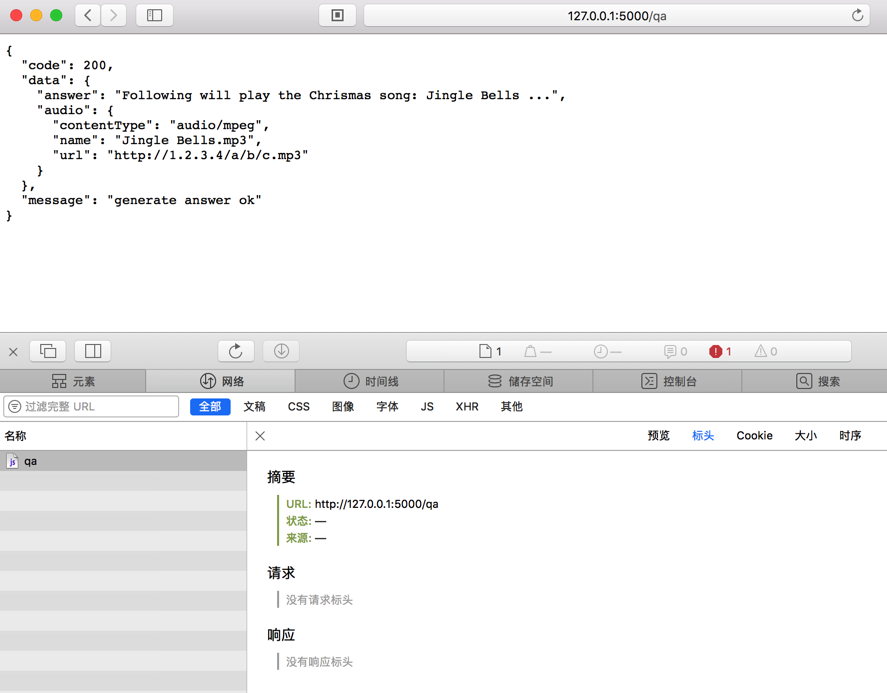
不过发现Chrome中可以看到response的header中的content-type的:
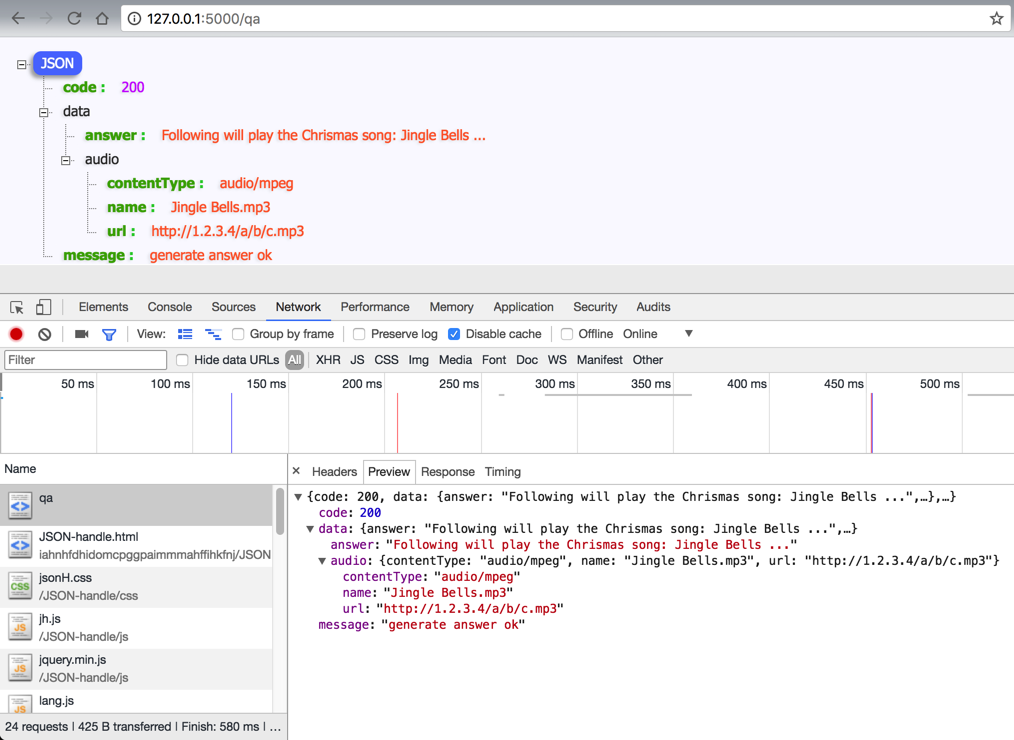
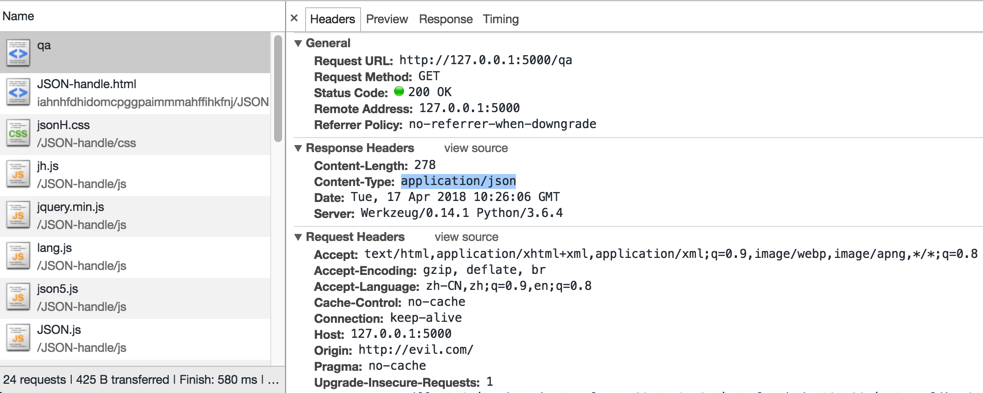
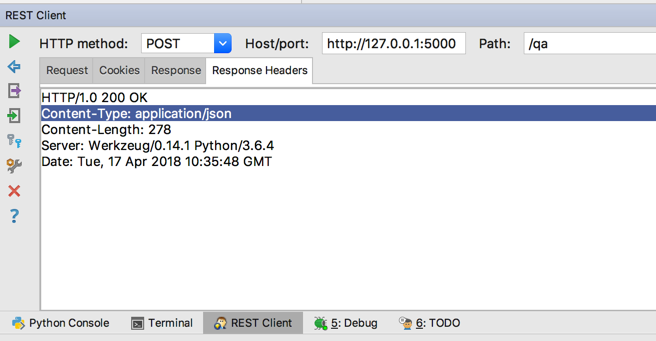
后来发现,PyCharm的Rest Client中也可以看到response headers中有:
Content-Type: application/json
在flask中使用jsonify和json.dumps的区别 – CSDN博客
“jsonify的作用实际上就是将我们传入的json形式数据序列化成为json字符串,作为响应的body,并且设置响应的Content-Type为application/json,构造出响应返回至客户端。”
为代码更简洁,且目前基本够用的话,还是参考:
直接用jsonify吧
python – Return JSON response from Flask view – Stack Overflow
【总结】
此处,为了简单,且够用 的情况下,直接用jsonify即可返回json:
<code>from flask import Flask
from flask import jsonify


app = Flask(__name__)


@app.route("/qa")
def answerQuestion():
    respDict = {
        "code": 200,
        "message": "generate answer ok",
        "data": {
            "answer": "Following will play the Chrismas song: Jingle Bells ...",
            "audio": {
                "contentType": "audio/mpeg",
                "name": "Jingle Bells.mp3",
                "url": "http://1.2.3.4/a/b/c.mp3"
            }
        }
    }

    return jsonify(respDict)


if __name__ == "__main__":
    app.debug = True
    app.run()
</code>
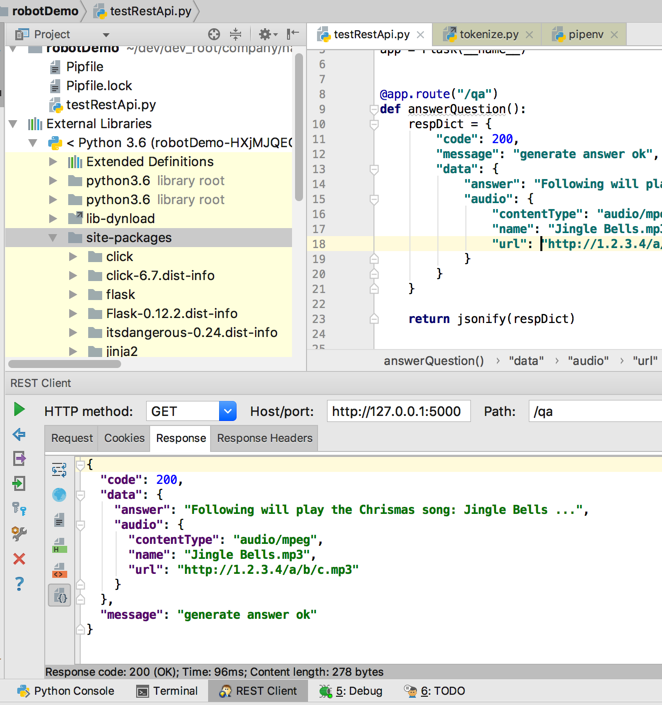
也是可以的,可以的: